Technology Category
I recently responded to an appeal from the Internet Archive, seeking testimonials about the value of their Wayback Machine, the tool that allows researchers to go back to earlier snapshots of webpages, including many from long-gone websites. Here's what I wrote:
Tell us about the first time you used the Wayback Machine, or when you first realized the power of web archives. What were you looking for, and why was it important to you?
I can't recall the very first time. My blog contains hundreds of links to the Wayback Machine. An early example is captured in a blog entry giving my readers access to Oklahoma election records that had been lost in the State Election Board's redesign of their website.
Please share a specific example or story where the Wayback Machine played a crucial role in preserving a valuable piece of internet history for you or others.
In 2003, I started a blog, BatesLine.com, focused on local issues in Tulsa and Oklahoma, and it's still going over 20 years later. Many of my entries involved links to local news outlets and other local bloggers. As I revisit some stories from previous years, I update dead links where possible with Wayback Machine links, so that the context for what I wrote is preserved. Local TV stations are particularly bad about redesigning websites and ditching old news stories in the process. Many bloggers gave up after a few years and let their sites and domains lapse. So much has disappeared from the live web in just a short period of time, so I'm very thankful for the Wayback Machine.
Any additional comments or thoughts you'd like to share about your experience with the Wayback Machine?
The biggest disappointment is that the Wayback Machine's crawlers often seems to have struggled with dynamic URLs (the sort with ? in the URL), so that many articles are missing from vanished websites. For example, Urban Tulsa Weekly (urbantulsa.com) was one of many alt-weekly newspapers that used Gyrobase CMS, and many of its articles, even those that I linked from my well-indexed site, are not available in the Wayback Machine. Even a popular and well-organized site like Charles G. Hill's dustbury.com, the longest continuously running Oklahoma blog, which used WordPress and static-looking URLs for a PHP backend, is missing many pages, including the final essay Charles wrote just before his untimely death in 2019. The index page including a link to the essay was captured, but not the essay itself. This is heartbreaking and hard to comprehend.
If you, too, are thankful for the Wayback Machine, you can show your appreciation with a tax-deductible contribution to the Internet Archive. They currently store over 99 petabytes of data, including 625 billion webpages going back to the earliest days of the World-Wide Web, and they make it all available for free.
MORE: The Internet Archive's Community Webs initiative has helped 175 libraries and archives to establish their own digital archives, including two in Oklahoma -- OKC's Metropolitan Library System and the Choctaw Cultural Center. They just received a $750,000 grant from the Mellon Foundation to expand that program.
Pilots and boom operators are sad to contemplate the September 2024 retirement of the KC-10, the aerial refueling tanker based on the McDonnell Douglas DC-10 airframe.
Though the Air Force operates only 59 KC-10s compared to 396 KC-135s and a planned 128 KC-46s, each of the Extenders packs a punch. The KC-10 can carry up to 356,000 pounds of fuel: far more than the KC-46 (212,299 pounds),and the KC-135 (200,000 pounds). The Extender is equally impressive at carrying cargo: its maximum payload is 170,000 pounds, which is nearly the same as the C-17, a dedicated transport jet, according to the Air Force....As RVS [Remote Vision System] 2.0 comes down the pipe, a community of airmen who have spent much of their careers flying the KC-10 must prepare to bid farewell to the aircraft. Not everyone in that community agrees with the decision to retire the KC-10, which in several ways is more capable than its fellow tanker aircraft. KC-10 pilots Lt. Col. Stewart Welch and retired Col. David LeRoy wrote in 2019 for War on the Rocks that the 2013 U.S. budget sequestration forced the military to cut many of its programs, including the Extender.
"Because there is only a small fleet of KC-10s, it is relatively expensive to operate considering flying hours and maintenance costs per aircraft. Eliminating an entire logistics supply chain for an airframe offers a significant cost savings," they wrote. "That allowed the Air Force to keep programs like the KC-46 and F-35 on track."
It's disgusting to see the Air Force scrapping an aircraft with unparalleled capabilities in favor of unproven boondoggles at a time when force projection over long distances is more important than ever. KC-10 pilots Welch and LeRoy wrote in 2019:
America's return to great power conflict requires a force that can reach China and Russia from far-away U.S. air bases. Whether the Air Force is moving a large number of fighters, transporting cargo and personnel, or refueling long-range bombers, a long-range, large-capacity airplane is required. The Extender remains the best platform to refuel those strategically vital flights.America's strategic focus has shifted from containing terrorist groups like ISIS to competing with rising great powers. The ability of countries like China and Russia to contest U.S. efforts in multiple domains will limit America's basing options. This will demand the types of advanced warfighting planes that can't reach distant targets from America's shores without air refueling. Deterrence today requires reach, which requires volume. The current plan to replace the heavy tanker with a fleet of smaller-capacity ones creates an unnecessary vulnerability. Policymakers should seriously consider funding and keeping the KC-10. The problem is urgent because the United States is quickly running out of time to act to preserve this capability. If there is any appetite to keep this aircraft flying, now is the time to articulate that decision and act on it. Once the Air Force uproots simulators and turns off training pipelines, it will be past the point to actually salvage an airplane that is strategically necessary....
In April 2019, the first-ever tanker formation of a KC-10 and a KC-46 refueled two F-15Es and five F-16s flying from California to Elmendorf Air Force Base, Alaska. The successful mission was rightly lauded as an achievement for the Pegasus; what did not make the press report was the fact that if the KC-46 had not flown, a single KC-10 could have accomplished the entire mission alone, offloading all the gas required for all seven fighters to reach their destination. In fact, the formation was part of an overall plan that utilized six KC-10s to offload 680,000 pounds of gas to 28 airborne aircraft and haul 62,000 pounds of cargo plus 38 passengers. It would require fourteen of the smaller tankers to accomplish the same task. In the near future, what the Air Force has been doing with one refueler will require two. This reality has had many scratching their heads and wondering why the Extender is on the verge of an early retirement.
Sadly, the uprooting of simulators has already started to happen. Friends in the simulation industry report that the KC-10 simulator fleet (two full-flight simulators, a fixed-base simulator, and a boom operator trainer each at Travis AFB in California and McGuire AFB in New Jersey), received major upgrades in the past decade or so, including new computers for aircraft simulation, instructor control, radio communication and ambient sound simulation, networked mission rehearsal, formation flight, and aerial refueling training, plus the security upgrades required for networked mission rehearsal. With the upcoming retirement, only one of each simulator type remains, at Travis AFB. One friend reports seeing large chunks of one of the surplus simulators cut up in dumpsters.
RVS 2.0, mentioned above, is the KC-46 Pegasus system for the boom operator to see the receiver aircraft and fly the boom into the receptacle, while sitting in the cockpit with the flight crew. On the KC-135 the boomer lies on his belly to look out a window at the receiver. The KC-10 is slightly more civilized, as the boomer sits upright. The original version of the KC-46 RVS has problems:
Known as the Remote Vision System, the new technology should allow boom operators to refuel aircraft in complete darkness with both aircraft running lights-out. The problem is that the system is riddled with errors, including the fact that shadow, glare or other conditions made it more difficult for the boom operator to see what is going on. Operators have also noted differences in how objects are perceived on screen compared to real life. Those small glitches could have disastrous effects in the air, where a bump with the refueling boom could cause expensive damage or scratch the stealth materials keeping combat aircraft hidden from the enemy.
The demise of the KC-10 is a consequence of short-sighted decisions made 10 years ago in the midst of a budget battle over Obamacare funding. We have seen this at the city level, as stupid plans like pedestrianizing Main Street, ringing downtown with expressways, and demolishing Greenwood and the Near Northside, are pursued to the end, long after their folly becomes apparent and their value is overtaken by events. Bureaucracies don't change course easily. Stubborn refusal to admit a mistake, along with the costs sunk into that mistake, are the greatest source of governmental inertia. Strong, foresighted leaders in the DOD, White House, and on the House and Senate Armed Services Committees are needed to overcome that inertia, but who am I kidding?
In addition to watching commemorations on television and online, Tulsans have several options nearby and within a day's drive for remembering the 50th anniversary of mankind's first steps on the moon.

The 2019 Oklahoma Aviation and Space Trail links the Tulsa Air and Space Museum, the Oklahoma History Center in Oklahoma City, and the Stafford Air and Space Museum in Weatherford, west of OKC on I-40, all of which are exhibiting Apollo-related artifacts. Getting a "passport" stamp at all three museums prior to World Aviation Day on August 19, 2019, enters you in a drawing for a free one-year membership.
Tulsa Air and Space Museum has a temporary exhibit on local contributions to the Apollo 11 mission. The display includes an Apollo command module, two Master Command Control consoles, a large-scale model of the Saturn V rocket, and the story of record-setting Skylab astronaut William Pogue, from Okemah and Sand Springs, Oklahoma, who worked in a support role to help Buzz Aldrin prepare for Apollo 11 and played a key role in the command center during pre-launch.
The Oklahoma History Center will host a special showing of the Smithsonian Channel documentary The Day We Walked on the Moon at 1:00 pm on July 20.
The Stafford Air and Space Museum, named in honor of General Thomas P. Stafford, a four-time astronaut and native of Weatherford, has a permanent exhibit of space artifacts, including many related to Stafford's astronaut career, such as the Gemini 6A capsule and his Apollo 10 space suit. Stafford served on two Gemini missions, was commander of the Apollo 10 moon landing dress rehearsal, which flew to within 9 miles of the lunar surface, and commanded the Apollo-Soyuz Test Project, which involved rendezvous and docking of American and Soviet vehicles in earth orbit.
Four hours' drive from Tulsa, the Cosmosphere in Hutchinson, Kansas has a week of special Apollo 11 events leading up to a July 20, 2019, screening of CBS News moon landing coverage on the Cosmosphere lawn, followed by an opportunity to view the moon and planets through a 16" telescope. Our family has made several visits to the Cosmosphere, which tells the story of the space race between the USA and the USSR through a well-organized timeline of artifacts, including the Mercury Liberty Bell 7 capsule. The Cosmosphere has the largest collection of Soviet space artifacts outside of the old Soviet Union.
As you might expect, Space Center Houston at NASA's Johnson Manned Spaceflight Center in Houston, which served as Mission Control for Apollo 11, has a nine-day extravaganza of events planned running from the anniversary of launch on July 16 to the anniversary of splashdown on July 24. Highlights include mission briefings related to the day-to-day timeline of Apollo 11; Apollo 11-themed pop-up science labs; panel discussions with Apollo flight controllers on July 16 and with the children of Apollo astronauts on July 18; a July 19 briefing, for museum members only, on the next generation of lunar vehicles, from the chief engineer of Lockheed Martin Commercial Civil Space Division; and a July 23 panel discussion with current NASA flight controllers. The July 19th presentation with mission flight director Gene Kranz is sold out. The event that looks the most interesting to me is a special presentation on July 21: Apollo Engineering Design, Development, and Certification Challenges, featuring engineers who were involved with the design of Apollo spacecraft systems.
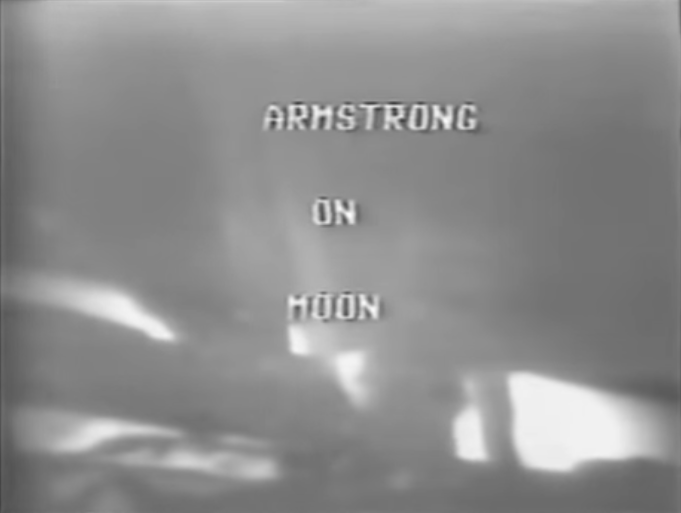
For folks of my age and older, watching men walk on the moon for the first time was an unforgettable thrill. Happily, through the wonders of the internet, there are many ways you can relive that experience and share it with the Gen Xers and later generations that missed out the first time.
My earliest clear memory of America in space is of Apollo 7, and I remember the names of the early command and lunar modules (Gumdrop and Spider on Apollo 9; Charlie Brown and Snoopy on Apollo 10). I have vague memories of watching launches on TV in a house we lived in in 1965-1966, which would have been during Project Gemini. Although the Gemini and Apollo launches typically happened at roughly two-month intervals, to my preschool brain it seemed like a regular TV series.
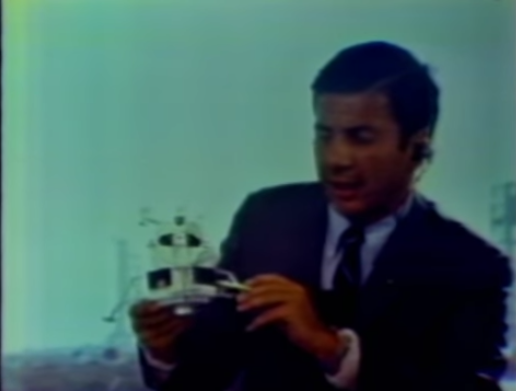
To see the Apollo 11 mission as we would have experienced it in 1969, you can watch online video of live coverage on the major TV networks. It's fascinating to see how the networks handled the absence of live video from space, playing the mission audio over animations of the lunar module in flight or video of actors in spacesuits manipulating controls in a replica of the lunar module interior.
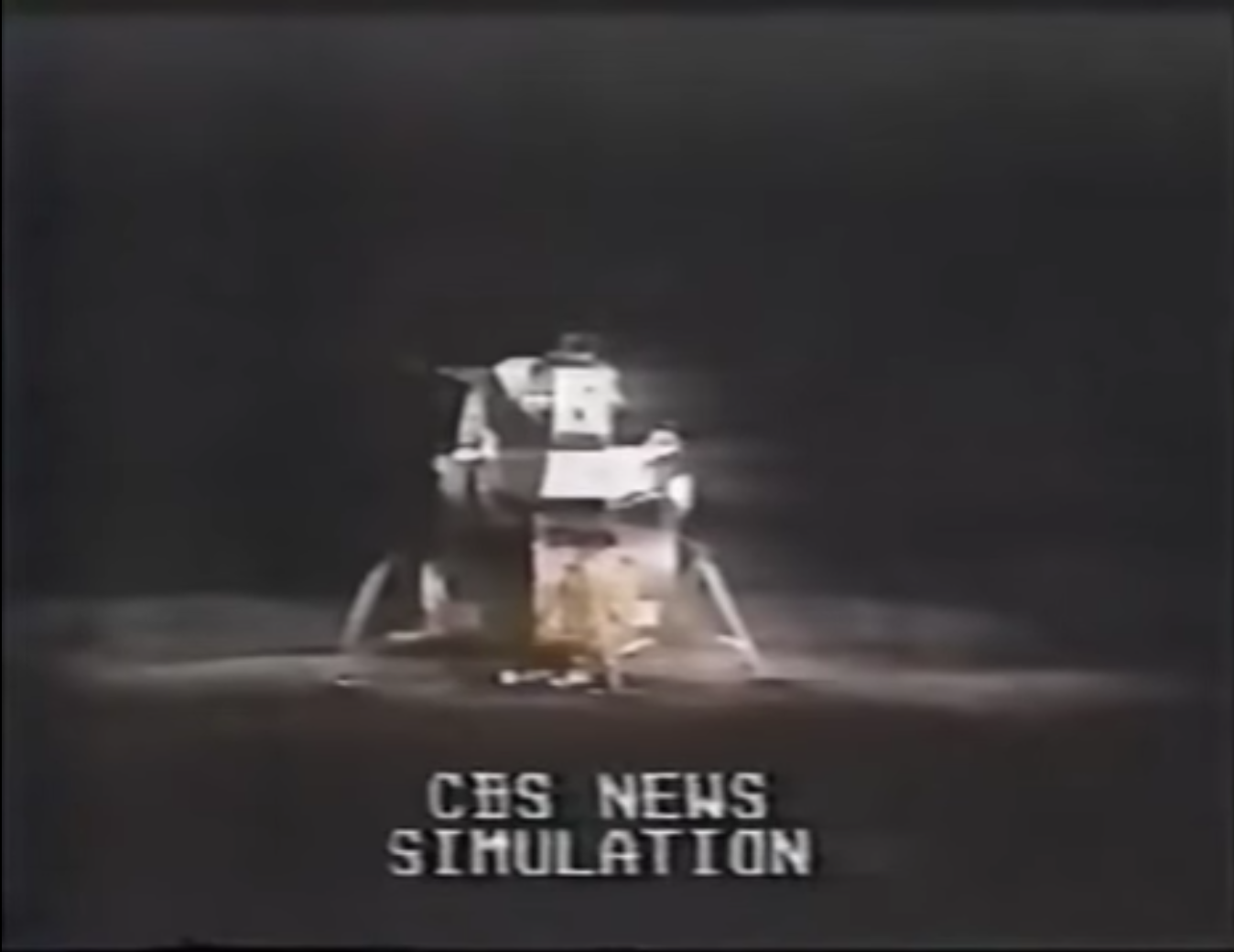
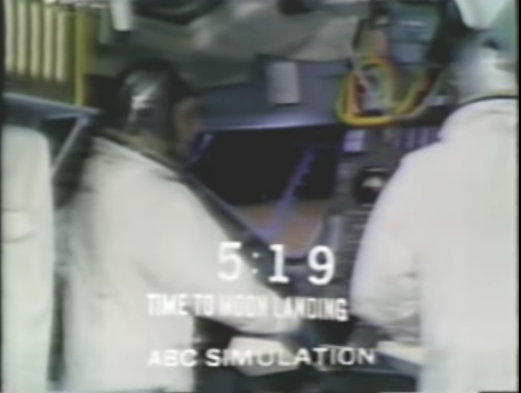
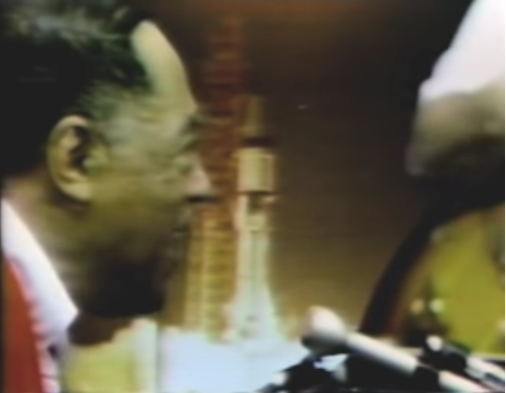
During the long wait between the landing and the moon walk, ABC filled time with man-in-the-street interviews by Sam Donaldson, a silent movie about a trip to the moon, poetry from Poet Laureate (and author of Deliverance) James Dickey, and Duke Ellington singing a new composition, "Moon Maiden." That ABC clip includes a news report, anchored by Peter Jennings, which has a story about Ted Kennedy leaving the scene of a car accident, the event that made Chappaquiddick Island infamous.
These links have either embedded video or links to video of archived live news coverage:
- NBC coverage of launch (via It's the Minder
- CBS coverage of Apollo 11 launch
- UPDATE 2019/07/16:CBS Apollo 11 launch coverage from 3.5 hours before and 1 hour after launch, CBS News's own stream, complete with news breaks and commercials. (Via Gizmodo.)
- CBS coverage of landing and moon walk via kottke.org
- ABC coverage of launch and Trans Lunar Injection, landing and moonwalk via WAAY
(Tulsa readers will understand why I put the networks in that order.)
"Apollo 11: What We Saw," presented by Bill Whittle for the Daily Wire, provides an interesting angle on network TV coverage, contrasting the networks' animations and simulations, which he remembers seeing as a 10-year-old, with the tension in the lunar module as the guidance computer overloaded and as the pre-programmed landing site turned out to be a crater the size of a football field, surrounded by large boulders. Here is the trailer for the series of five hour-long episodes, and here's a link to Episode 1.
C-SPAN has aired contemporary NASA documentaries about the earlier Apollo missions:
- AIRBOYD playlist of NASA Apollo documentaries
- Apollo 8: Debrief: NASA documentary narrated by Burgess Meredith
- Apollo 9: Three to Make Ready: NASA documentary about the mission to test lunar module docking in Earth orbit.
- Apollo 10: To Sort Out the Unknowns : NASA documentary on the dress rehearsal for the moon landing.
This article in the July 1969 issue Popular Science will give you an idea of what a more technically literate person would have been reading: First Men On The Moon: By Dr. Wernher von Braun, describes the landing process, moonwalk, experiments, ascent, return, and quarantine.
For a more behind-the-scenes look, NASA and the National Archives have made a great deal of mission audio and video, plus documentary films and documents, available online:
- Apollo 11 mission audio from NASA on the Internet Archive
- Restored downlink video of the complete moonwalk, including the higher-quality Australian feed from the first three minutes
- NASA high-def (720p) video of Apollo 11 moonwalk and mission highlights
- National Archives: Practice Makes Perfect: How the Apollo 11 Crew Prepared for Launch: Video of practicing low-gravity maneuvering, LEM control, splashdown, and egress
- National Archives: National Archives' Film Footage Fuels Apollo 11 Film: This story has links to digitized Apollo 11 documents online.
The recently released documentary Apollo 11 incorporates large-format, archival NASA footage, long overlooked. It appears that the film has already been and gone here, but you can stream it online and purchase it in various formats for home viewing. According to the movie's website, Kansas City and DFW are the nearest metro areas where you can still see the film on the big screen.
Now for some present-day documentaries and commemorations:
- "Chasing the Moon," a three-part series in The American Experience, is available on the PBS website for free streaming through September 10. Part 1 covers the beginnings of the space race from Sputnik to the death of Kennedy; Part 2 covers the missions leading up to Apollo 11, and Part 3 is focused on the moon landing mission. Each episode runs about 2 hours.
- NASA administrator Jim Bridenstine on the 50th anniversary of Apollo 11 and the plan to return to the moon
- Five recommended space documentaries available for streaming
- Apollo 8 50th anniversary service at the Washington Cathedral
- Apollo 8: Discussion of 50th anniversary of first lunar orbit
- Wright Brothers National Memorial at Kitty Hawk, NC, will rebroadcast the 1969 TV coverage of the landing, just as it did during Apollo 11
- History.com has a story on Apollo 10's near disaster
- The US Mint's commemorative Apollo 11 50th anniversary silver dollar features a spacesuit footprint in lunar soil.
In a later entry, I'll highlight commemorations and special events in our part of Planet Earth.
A Facebook worry has gone viral, with a warning of this sort appearing all over the timeline: "If you receive a friend request from me, my account has been hacked." Some are dismissive of the threat. Here's what's actually going on:
Facebook accounts are being cloned, not hacked. Scammers can do this without needing access to your password.
It hasn't happened much lately, but for a while I would regularly get friend requests from people with whom I was already friends. What happens is a scammer will grab photos and public information from a profile, create a new profile with the same profile photo and name, and send friend requests to people on the original profile's friend list. No hacking required, and changing your password can't stop it.
I found out why this is happening when I thoughtlessly accepted one of these friend requests. The scammer messaged me, starting a casual conversation -- how's it going -- which eventually turned into the scammer talking about some trick for getting money out of the Canadian Social Security system, a path that no doubt would have led to an attempt to get my personal financial details. I asked the scammer some questions which the real friend would have been able to answer, but which were not discoverable on the friend's real profile, and the scammer went away.
My wife dealt with a similar attempt by suggesting that they get together and talk. The scammer scarpered.
If you get a suspicious friend request, search your friends list before accepting it. A cloned account will usually be obvious upon close examination -- the profile and background picture may be the same, but there will be a lower friends count and few if any timeline posts. If the request is from a cloned account, click the ... icon at the top of the page, then select "Report" from the menu, and let your friend know about it as well. But remember: Changing passwords won't fix the problem.
It is the first day of DST in the United States and everyone is groggy and cranky and wondering why we bother with changing the clocks twice a year. There are the usual calls to go to DST and stay there forever, or stay with standard time forever.
The last two Novembers I've spent some time in a place that doesn't have DST: the Australian state of Queensland. Australia has three principal time zones: Australian Western Standard Time (GMT+8 hours); Australia Central Standard Time (GMT+9.5 hours); and Australian Eastern Standard Time (GMT+10 hours). But from the first Sunday in October to the first Sunday in April, the south-central and southeastern states go on DST, while Western Australia, the Northern Territory, and Queensland remain on standard time. During this period you have the strange situation where you can drive 70 miles due south of Brisbane, and it's suddenly an hour later.
On November 30, late spring in Brisbane, Queensland's capital, dawn (civil dawn) comes at 4:18 am and dusk ends at 6:54 pm. On the longest day of the year, dawn comes at 4:23 am and dusk ends at 7:09 pm. For most people, that means 90 minutes or more of daylight while you're still trying to sleep, and yet it still gets dark not long after supper. Many Queenslanders would like to move that hour of early morning light to a more useful time.
As bad as at is to have the sky brightening when it should be oh-dark-thirty, Brisbane, a subtropical city with a relatively small fluctuation in the length of days over the course of the year, doesn't get the worst of it. The farther you get from the equator, the higher the latitude, the longer the days and the more sunshine is wasted. In Hobart, Tasmania, dawn would break on the solstice at 3:53 am without DST, but DST pushes that to 4:53 am and pushes nightfall from 8:24 pm to 9:24 pm -- more time after work for outdoor activities.
So if the problem is the distribution of sunlight around the work day, is there another way to solve it?
Idea #1: Move to DST permanently. But then, when you get to late autumn and winter, there's no sunlight at as people are going to work and school. If we still had DST in December, dawn would break at 8 am in Tulsa.
Idea #2: Stay on standard time permanently and move business hours to improve the amount of daylight after work. The challenge here is unpredictability. Some businesses would adjust hours, some wouldn't.
Idea #3: Designate sunrise on any given day as 6 am and reckon hours from that point of reference. A business that opens its doors at 8 am would always be starting two hours after sunrise. One problem with that idea is the same problem that led to the creation of time zones in the first place, when every town measured time by local noon; drive a few miles east or west and your watch would suddenly be off by a minute. Measuring time by sunrise would add a north-south variation to time calculation. It was bad enough to have local time variations when we could travel at 60 mph, but imagine the chaos dealing with local time variations now that we can communicate at the speed of light.
It turns out that moving clocks forward an hour in the spring and back in the fall is a pretty good compromise between all these competing concerns.
This was the problem: I had a hard drive that I took out of a Windows XP laptop and put into an external case. (The laptop's AC system failed; an adapter could no longer power the system or charge the battery.) The drive was formatted for NTFS, so files had ownership and permissions attributes. I could access most of the drive, but my profile was inaccessible, because it was owned by my username on the old laptop, which had a unique security ID (SID), different from the SID of my account on the new laptop. I needed to grant myself access to view and do other things with the files. To do this, however, I first had to take ownership of the files.
First attempt was to use TAKEOWN, a built-in Microsoft Windows 7 command, with the /R (recursive) flag. The problem with that is that, like most Windows utilities, when it hits an error (can't access a file, for example) it just stops, and there's no way to resume the operation where you left off.
The other thing I learned was that you also need to use ICACLS, another Microsoft utility, to add permissions to read files, traverse folders, etc.
I looked for existing solutions but didn't find anything satisfactory. For example, this looked like a more robust solution, but PowerShell was too much to learn from scratch.
So I wrote a Perl script that iterates down the folder tree, takes ownership of each file and folder for the Administrators group, then adds full control permission for Everyone to each file and folder (note that it doesn't replace any existing permission). Any error messages are written to a log file, specified as the second argument in the command line. The script has to be Run as Administrator, so you either need to run it in a CMD window or (my preference) Emacs shell buffer that you started by right-clicking and choosing "Run as Administrator" from the popup. (The advantage of an Emacs shell buffer is that you capture any messages within an unlimited buffer that you can easily search through and write to a file.)
It would be possible to customize this so that you gave ownership to a different user and were more selective about the access permissions you add (e.g. read only, permission only for certain users), but this method accomplishes my limited purposes.
Don't panic when the first few calls to ICACLS seem to take a long time to run. It isn't doing a recursive ICACLS operation, but a change to a higher-level folder could have impacts via inheritance that may take some time to complete.
In the spirit of giving back, here's my script for your reference, with no warranties or claims. Use at your own risk.
# Perl script to recurse the file tree from the specified starting
# point, taking ownership of each file for the Administrators group;
# then giving Everyone full control permissions.

# Takes two arguments:
#
# (1) The path (relative to the current directory) of the folder at the
# root of the folder tree whose permissions you want to reset.
#
# (2) A logfile showing which subfolders have been processed and any
# errors encountered.

# This is intended to be used when removing an NTFS disk from a
# laptop, so that you can put the disk into an external enclosure and
# access files that may have been private to a Profile that is no
# longer available.

use strict;

my $basedir = shift;
my $logfile = shift;
open LOGFILE, ">$logfile" or die "Could not open log file $logfile: $!";

# We have to take owner

&takeownperms ( $basedir );
&traversedir ( $basedir );

sub traversedir
{
    my $currentdir = shift;

    print "Processing $currentdir\n";
    print LOGFILE "Processing $currentdir\n";

    my $dirhandle;
    my $opendirresult = opendir $dirhandle, $currentdir;
    if ( ! $opendirresult )
    {
	print LOGFILE "Could not open $currentdir: $!";
	return;
    }

    my @files = readdir $dirhandle;
    closedir $dirhandle;

    my @dirlist;

    # Iterate through files. Recurse for directories

    foreach my $file (@files)
    {
	# Current directory is already done
	next if $file =~ /^\.$/;

	# Skip "directory up" entry
	next if $file =~ /^\.\.$/;

	my $path = "$currentdir\\$file";

	&takeownperms ( $path );

	# Test for directory
	if ( -d $path )
	{
	    push @dirlist, $path;
	}
    }

    # Recurse to lower-level directories

    foreach my $dir ( @dirlist )
    {
	&traversedir($dir);
    }
}


sub takeownperms
{
    my $path = shift;

    # Take ownership

    my @takeownresultlines;
    my $takeownsucceeded = 0;
    my @icaclsresultlines;
    my $icaclssucceeded = 0;

    @takeownresultlines = readpipe "TAKEOWN /F \"$path\" /A 2>&1";

    # Log TAKEOWN errors

    foreach my $line ( @takeownresultlines )
    {
	next if $line =~ /^\s*$/;
	if ( $line =~ /^SUCCESS:/ )
	{
	    $takeownsucceeded = 1;
	}
    }

    if ( not $takeownsucceeded )
    {
	print LOGFILE "TAKEOWN FAILED: $path\n";
	foreach my $line ( @takeownresultlines )
	{
	    # Echo all non-blank lines to the logfile
	    next if $line =~ /^\s*$/;
	    print LOGFILE $line;
	}
    }


    # Add permission

    if ( $takeownsucceeded )
    {
    	@icaclsresultlines =
    	    readpipe "ICACLS \"$path\" /grant Everyone:(F) 2>&1";

    	foreach my $line ( @icaclsresultlines )
    	{
    	    next if $line =~ /^\s*$/;
    	    if ( $line =~ /^Successfully processed 1 files;/ )
    	    {
    		$icaclssucceeded = 1;
    	    }
    	}

    	if ( not $icaclssucceeded )
    	{
    	    print LOGFILE "ICACLS FAILED: $path\n";
    	    foreach my $line ( @icaclsresultlines )
    	    {
    		# Echo all non-blank lines to the logfile
    		next if $line =~ /^\s*$/;
    		print LOGFILE $line;
    	    }
    	}

    }
}
RESOURCES:
A good explanation of SIDs and why a multi-pass process is necessary, along with bibliography. This suggests an approach to make a new SID the creator-owner of a file.
Using the Windows Explorer GUI to accomplish the task: A bit more user friendly, but, as noted above, if Windows hits a problem in the middle of a long, recursive task, it will stop and there will be no easy way to tell how far things got or to resume the process where it left off.
The Win32::Security::ACL Perl module would have been another approach, but it would have required a better understanding of ACLs and inheritance, this is a beta version, and the documentation doesn't separate external behavior from internal design, so it's rather confusing.
- Microsoft Technet: icacls systax for recursively adding permissions for Administrators to a folder without altering existing permissions?
- rakesh.com: Beware of takeown and recursively operating
- serverfault: Using ICACLS to set permissions on user directories: More perspective on permissions and inheritance.
It seemed like a good idea: Head to a coffeehouse this afternoon with my daughter as she worked on her homework for Monday. We'd have a change of scenery from home, get some lunch, and I'd be there to keep her on track without hovering too closely. For whatever reason, it seems less claustrophobic to sit together at a small table in a coffeehouse than it does to sit around a larger table in our kitchen. Most of her schoolwork required access to the Internet -- a situation that I deplore -- so we needed to be some place where the wifi was working.
After church, we headed to our favorite coffeehouse, ordered a gluten-free grilled cheese sandwich and a breakfast burrito, a bottomless coffee, and a San Pelligrino orange, and sat down to work.
We could connect to the router, but our devices were never assigned an Internet Protocol (IP) address, which meant the Internet was inaccessible. We tried on two different Windows laptops, an iPod, and an Android tablet with the same result.
My daughter spoke to the barista, whose only advice was The IT Crowd mantra:
We dutifully rebooted the laptops and tried again -- no joy, as I expected. I asked the barista if he could reset the router, and he said it can cause problems for their cash register and order printer, problems that last for hours. That's understandable, but my daughter had to have wifi, so we left.
As it was close to 1 p.m. and the Sunday lunch rush, Panera or Qdoba seemed like a bad idea. I decided to head to a close-by coffeehouse that was new enough that I thought it might be less crowded, but we had the same problem there, as did another customer. I really should have checked the connection before ordering drinks.
So we headed for home, $30 poorer and having wasted two hours.
Here's my theory: While the router was working at each of the coffeehouses, its pool of available IP addresses was exhausted.
When you connect to a wifi network with your laptop, phone, or tablet, your computer requests an IP address. In the bad old days, you would have to ask a system administrator for an available address on the network, then manually configure your network adapter with that address and reboot your device.
In response to this inconvenience, the Dynamic Host Configuration Protocol was developed and became widely available in the late '90s. With DHCP, your device automatically sends out a request for an IP address when it connects to a network, and a DHCP server (usually resident on the router) answers the request by granting a "lease" on a specific address for a specific length of time.
The DHCP server only has a certain number of addresses in its pool, and leases are granted for a fixed length of time. The duration of the lease and the number of addresses are often part of the router configuration. In a typical setup, a total of 254 addresses are available, with a small number of those addresses reserved for devices that are always connected, and the remainder available to the DHCP server. A typical lease length is one day. Once the lease is granted on an IP address, the address will be unavailable for reassignment until one of three things happens: (1) the lease expires, (2) the lease is manually revoked, or (3) the DHCP server is restarted (e.g., by turning the router off and back on).
This means that if around 250 customers connect to your network over the course of a few hours, you'll run out of IP addresses for the rest of the day, and anyone trying to connect to the network after that point will be disappointed.
You may think it unlikely that so many would try to connect in such a short time, but consider the ubiquity of wifi-enabled phones and tablets. If a customer has ever connected to your network with her phone, the next time she comes in to order a latte to go, it's likely that the phone will automatically request and receive an IP address from the router, even if the phone never leaves her pocket.
Dear coffeehouse owner, as much as I enjoy your coffee and the ambiance you've created, it's the ability to get work done at your establishment that allows me to justify to myself the extra cost of the coffee and food over what I'd spend to drink and eat at home. If a coffeehouse's internet connection is hit-or-miss, I'll have to find somewhere else to work -- and somewhere else to spend money.
There are some steps you can take to improve the likelihood that your customers will get the wifi service they expect:
- Reduce the DHCP lease duration to an hour or less. Exactly how you do this will vary by router -- check your manual. There's no downside to this; if a customer needs to be connected for a longer period, his device will automatically send a renewal request, and the customer won't perceive a break in service.
- Expand the number of available DHCP addresses. Your default setup may not be maximizing the number of addresses your router can support.
- Require users to check a box or click "Connect" before they can get on the internet. Both Starbucks and Panera do this, and it should eliminate the kind of inadvertent connections I mentioned above. This also gives you a chance to display and receive consent to your terms of usage before granting the customer access to your network.
- If possible, move your business-critical devices to their own secured network and assign fixed IP addresses to each. Separating your credit-card machine, order management system, and your PC with schedule and HR records from the public network just makes good sense, and it also allows you to reset the public network -- and clear any zombie DHCP leases -- without affecting the devices you need to run your business. Even if a separate secure network isn't practical, reserving fixed IP addresses for your business-critical devices will make it easier for your devices to find each other and resume operation if a router reset becomes necessary.
And if you need a hand with any of the above, give me a holler. I do computer stuff for a living, and while networks aren't my speciality, I've had to configure routers as part of my job. And I will work for coffee.
We often speak of scientific 'miracles' - forgetting that these are not miraculous happenings at all, but rather the product of hard work, long hours and disciplined intelligence.The men and Women of the Apollo XIII mission operations team performed such a miracle, transforming potential tragedy into one of the most dramatic rescues of all time. Years of intense preparation made this rescue possible. The skill coordination and performance under pressure of the mission operations team made it happen. Three brave astronauts are alive and on Earth because of their dedication and because at the critical moments the people of that team were wise enough and self-possessed enough to make the right decisions. Their extraordinary feat is a tribute to man's ingenuity, to his resourcefulness and to his courage.
-- President Richard Nixon, presenting the Presidential Medal of Freedom to the Apollo 13 Mission Operations Team, April 18, 1970.
Although, in relation to the foreknowledge and decree of God, the first Cause, all things come to pass immutably, and infallibly; yet, by the same providence, He orders them to fall out, according to the nature of second causes, either necessarily, freely, or contingently. God, in His ordinary providence, makes use of means, yet is free to work without, above, and against them, at His pleasure.
Today is the 45th anniversary of the launch of Apollo 13, the moon mission waylaid by an explosion that miraculously made it safely back to Earth through a series of life-threatening conditions.
Tonight, astronauts Jim Lovell and Fred Haise and flight directors Glynn Lunney, Gene Kranz, and Gerry Griffin will mark the event at a $1,000 a plate gala at the Kennedy Space Center, benefiting the Astronaut Scholarship Foundation.
Five years ago, Universe Today published a series of articles by Nancy Atkinson on "13 Things that Saved Apollo 13," a list devised by Jerry Woodfill, who was a young engineer working in the Mission Evaluation Room during Apollo 13, and who has spent decades studying the twists and turns of the mission by combing through transcripts, reports, and other documents and interviewing the astronauts and his fellow engineers. If you've read Jim Lovell's book Lost Moon or seen Ron Howard's movie Apollo 13
The list includes coincidences (the point in the mission when the explosion occurred, astronaut Charlie Duke's measles), inexplicable malfunctions (the hatch between the command module and lunar module that wouldn't close, the unexplained shutdown of the Saturn V center engine before its pogo-ing vibrations would have jackhammered the rocket to pieces), examples of ingenuity and preparedness (the technique to navigate by Earth's terminator, the use of duct tape to improvise a filter to scrub CO2 out of the spacecraft's air), decisions made long before (choosing Lunar Orbit Rendezvous), and even the scenario presented by a Hollywood movie of the time. Choices that at the time seemed marginally better than plausible alternatives appear in hindsight as the only options that would have saved the crew.
Universe Today is now running a second series drawn from Woodfill's research, "13 MORE Things That Saved Apollo 13," leading off with the fact that two teams of flight controllers and two experienced flight directors -- Gene Kranz and Glynn Lunney -- were on duty at the time of the disaster.
MORE:
The Apollo 13 article is an example of Wikipedia at its best, with links to many source documents, video, and other resources.
You can see Apollo 13's Command Module Odyssey on display at the Cosmophere in Hutchinson, Kansas, part of an astonishing collection of artifacts from the American and Soviet space programs, and just a four-hour drive from Tulsa.
The Weekly Standard's Matt Labash, no fan of Twitter and social media, wrote the equivalent of about 400 tweets on the subject recently, including an account of his visit to this year's SXSW. There's a Tulsa connection: Seth Cohen, director of network initiatives at the Charles and Lynn Schusterman Family Foundation, was on a panel about social media and religion. The late Charles Schusterman was the founder of Samson Energy, and his family's foundation funded OU's purchase of their Tulsa campus, supports efforts to reconnect young Jewish people with the broader Jewish community, and transforming Jewish organizations to be accepting of what the Torah condemns as abominable perversions. Cohen's bio indicates that he did pro bono legal work to block Georgia's implementation of photo ID for voters. I've highlighted Cohen's comments in the passage below.
Evan Fitzmaurice, an Austin-based lawyer and longtime friend who until recently was the Texas Film Commissioner, has attended many a SXSW. He tells me one night over dinner that while he's wired to the hilt ("I've gotta connect to the Matrix"), he sees the downside of perpetual connectedness. "You're truncating natural thought. Things don't gestate anymore. It's instantaneous, without the benefit of reflection. And everything's said at volume 10. Nothing's graduated anymore. It's a clamor." Though not religious himself, he says what I witness at SXSW would be recognized by any religious person. "They're trying to supplant deliverance and redemption through religion with civil religion and technological redemption--the promise of a sublime life on a higher plane."In one instance, the Twidiocracy tries to have it both ways. I attend a Sunday morning session called "Transcendent Tech: Is G-d Rebooting the World?" It's a discussion headed by a bearded Mordechai Lightstone, in full Hasidic regalia as the director of social media for the Lubavitch News Service, and Seth Cohen, director of network initiatives at the Charles and Lynn Schusterman Family Foundation. "God," Cohen says, "was a coder. She was a hacker. She saw a plan for the world." An element of those plans, he says, was the Ten Commandments. Though now, "we are in a 2.0 phase."
Our group then contemplates the 2.0ness of it all. Cohen, though Jewish, wonders what it would be like if the Catholic church "came out with a chief technology officer" who said "we're going to reboot the Catholic church. And we actually decided to have someone design apps and take a technological approach to changing the paradigm." A man sitting next to me would like to see "an Amazon of the Catholic church" since there's a "distribution of specialized services problem" and he wants to know how the church will be "brought to my front doorstep." A man in thick geek glasses says he sees the Bible as the "first great example of opensourcing." Cohen adds that he still thinks there are prophets, as he sees "the prophetic voice" when he reads friends' comments on his Facebook page. Another gent says his problem with the Bible is there's no "error correction." Paul, for instance, was a homophobe, so he'd like to see more wiki-style group editing. One woman, who has 33,000 Twitter followers, says she writes Jewish tweets. She thinks that's the wave of the future, since "people aren't going to houses of worship anymore."
This kind of talk could send even a believer like me running into Richard Dawkins's arms. If God is indeed rebooting the world in this vein, here's hoping His hard drive crashes.
Some tech notes so I don't forget how I did this.
Over this last weekend, my middle and youngest children were in a production of "The Music Man Jr.," a simplified, hour-long version of the Meredith Willson musical. (The cast, mainly elementary and middle-school aged children in the Classical Conversations homeschooling program, sang loudly and well, hit their cues, recovered gracefully from little slip-ups, and elicited genuine laughs again and again. It was good enough that I have actually enjoyed watching scenes again and again (even scenes without my kids) as I put together the DVD. Carletta Bradley and Jamie Lange of the Bradley Lange School of Fine Arts in Broken Arrow did a remarkable job of directing the students, who had fun while working hard.
I spent the last two performances taking video (for archival purposes, not for sale or public performance) with a borrowed Sony Handycam, which records video onto mini-DVDs. Each mini-DVD holds about 55 minutes in long-play mode, and between the two performances I wound up with four discs and a bit over 3 GB of video.
I thought it ought to be a simple matter to combine the resulting video object files (VOBs) on the mini-DVDs into a single DVD, and to do it without decompressing and recompressing the video and audio streams. I tried DVD-Shrink, which was good for identifying chapter points, and you can set it not to compress the video, but in the end I couldn't get a DVD built.
So here's what I did instead:
Copied all the contents of each mini-DVD onto my hard drive, each DVD with its own folder.
Used DGIndex (dgmpgdec158.zip), and added each VOB file (there were six in all) to a single project, then "save project and demux video," creating two files, an .M2V MPEG-2 video file and a .AC3 audio file.
Used Adobe Encore CS3 to attach the demuxed video and audio to a timeline, and then find the time to use (hour, minute, second, frame) for each chapter break. Encore was unable to create the DVD files, pulling an error each time, complaining about a problem near the end of the combined video. Evidently this is a known problem, but one without a solution. So in the end, Encore was only useful for identifying chapter points.
Used DVDAuthorGUI 1.029 to set the chapter points determined in Encore, to create M2V stills from 720x480 JPG images (created with GIMP), one for each menu, to attach buttons and actions to the menu and link them together. Click the link for how to make menus with DVDAuthorGUI.
Authored the DVD with DVDAuthorGUI, which created a folder with the normal DVD subfolders (VIDEO_TS, AUDIO_TS), VOBs, and IFO files.
Added another folder to contain non-DVD info -- a couple of audio recordings of the performances that don't have the sounds of me operating the zoom and swiveling the camera.
Final step: Write the folder out to DVD as a data DVD and be sure to close the disc to make the DVD player happy.
Now that I've successfully built a disc, I could try to make a more complicated menu, complete with embedded video and audio. It would be nice to be able to upgrade the menus without redoing the VOBs.
MORE:
videohelp.com is a comprehensive, crowdsourced resource on recording, editing, and playing back video in various tape and optical formats. One nice feature: Reviews of playback devices that allow you to do an apples-to-apples comparison of capabilities, e.g., which video and audio formats can the player handle.
UPDATE 2014/04/10:
So I'm doing this again and re-learning some lessons. Here's more step-by-step, with some changes. (No Adobe anything this time.) I will add more notes later when I have time.
1. Copy all the contents of each mini-disc into its own separate folder on your computer's harddrive.
2. Launch DVDAuthorGUI, then from the tools menu, launch DGIndex.
3. In DGIndex, File | Open, then navigate to the folders where you copied the mini-disc contents, and add the VOB files from each of the folders to your project. Make sure the order is right. Click OK when done.
4. File | Save Project and Demux Video. I use a separate working directory named with the event's initials, date YYYYMMYY and time -- it just needs to be a unique name. Demuxing takes about 6 minutes. Exit DGIndex.
5. Use ReStream to remove ending sequence on your m2v file, which, if not done, will mess up DVDAuthorGUI.
6. Launch DVD-Shrink, and use it to find where you want chapter points. Go to Reauthor, then use the DVD browser to navigate to where you copied the minidiscs to your hard drive. You'll drag each disc's contents as a separate Title over to the DVD structure pane on the left. The icon with two arrows lets you set a precise start time, which helps you find exactly where you want the chapter break, down to the 1/2 second.
The chapter points are per original minidisc, so for the video in minidisc 2 and following, you'll have to add the running time of the previous disc or discs. (Excel is good at adding times, if you don't want to do Base 60 arithmetic in your head.) It's helpful to put these times in a text file, which you can then copy and paste into DVDAuthorGUI. Keep in mind that DVD-Shrink uses hour:minute:second:frame format, but DVDAuthorGUI expects hour:minute:second.decimal format. So if DVD-Shrink says the starting point is frame :15, substitute .50 (half of 30 frames).
(Further NOTE: DVDAuthorGUI thinks it can help you define chapter points interactively, but its visual editor uses the Windows Media Player, which is sloppy and imprecise. So use DVD-Shrink to find exactly where you want your chapter points.)
7. Launch GIMP to create your title image. You might use a favorite photo from dress rehearsal, and add title and chapter names as layers above it. Save it as a high quality JPG. (DVDAuthorGUI accepts BMP files, but then converts to low-quality jpg, so save it yourself as a high quality jpg.)***
8. Back to DVD Author GUI. Add Title and then navigate to the .demuxed.m2v file you created with DGIndex. Select the file. Then, on the next dialog, select the audio file.
9. In DVDAuthorGUI, click chapters, then copy and paste the list of chapter times from your text file to the dialog box and click OK.
10. In DVDAuthorGUI, click the Menus menu (on the menu bar), then Create M2V Still. Navigate to the JPG file you created in step 7, then tell it where to save the result. For aspect ratio, choose 4x3 or 16x9, whichever matches the ratio of your video.***
11. In DVDAuthorGUI, click the Menus button, then, on the Menu Manager popup, you have two choices, creating a new menu or importing an already-defined menu. Choice A: Click the Add New Menu button. On the file chooser, pick the .m2v still you created in step 10. Add an audio stream if you want it, or cancel if you don't. Choice B: Click the File menu and then "Import menu from file." This allows you to export a menu from another project as a .dvam (DVDAuthorGui project file), edit it offline, and load it in. If you already have a menu you like to use as a basis for this project, Choice B can be quicker than Choice A.
12. Now you're in the menu editor. I like to check the advanced box, because then I can specify pixel position and width and height of each clickable area. I keep it simple -- outlined box around each chapter title, linked to jump to that chapter. Once you're happy, click accept.
13. Click the nav cmds icon, and change the post-command for the title to "call menu", so it will automatically go back to the menu when it's done playing. Set first play to jump titleset 1 menu. Click accept.
14. Add any extras you'd like to add. I haven't tried this yet.
15. You're ready to author the DVD. Click the "author DVD" icon. When it asks for a folder name to create the DVD, you need to navigate to where you want the VOB files to go and then give the name of a folder that doesn't yet exist. Click Save and it will start going. Authoring took about 7 minutes to complete.
16. The folder where you put the VOB files is ready to write to a DVD using your favorite DVD burning utility. You might want to add in photos, audio, a scan of the program.
*** NOTE: Using a high-quality JPEG didn't produce a high-quality image for the menu after all. There is a method to turn a still image into an M2V file for a menu using DVD Shrink. I haven't tried it yet. More info here, here, here.
The past week or two, I've seen a new wave of spam from email accounts on Yahoo. They tend to have blank subject lines and only a link and possibly a snippet of text in the body of the message.
Yahoo! has a couple of helpful articles on accounts sending spam. Changing your password is an important step, but it may not be sufficient to fix the problem, so you should look at every Yahoo account setting they tell you to examine. Among other things, you need to check any linked accounts to make sure all of them belong to you, check the alternate address (how Yahoo! contacts you, e.g. for sending a password reset) to be sure it belongs to you, make sure no one has hijacked your Yahoo vacation response, and review contacts and linked apps for suspicious entries.
What to do if your account is sending spam
What to do if your account continues to send spam
It's important to know whether someone has been sending messages directly from your account, rather than impersonating your account. (Different problems require different fixes.) You can look at your recent login history to find out the IP addresses from which someone connected to your account, when the login occurred, and the approximate location corresponding to each IP address. If someone logged into your account from Elbonia when you know you were asleep in bed, you know your account has been compromised.
(Note to Yahoo: You need to make Recent Login History easier to find. It's mentioned on this page, but the instructions for navigating to the Recent Login History page are incorrect.)
Have you had problems with your email account sending mail without your knowledge? How did you fix the problem? Let us know in the comments below.
MORE: Here's a technical explanation of the Yahoo spam hack. It appears that Yahoo has yet to plug the hole. The articles offer this advice:
Users with a Yahoo account should make a point not to click on any suspicious links they receive by email or from anywhere else. In fact, that goes for all users; don't click on random links, even if you get them from a friend. If you think your account was compromised, also change your password on any related accounts, especially if you use the same one elsewhere.
In case you wondered what I've been up to: I'm on my way back to Tulsa after a week at the Interservice/Industry Training, Simulation, and Education Conference (I/ITSEC) at the Orange County Convention Center in Orlando. The conference brings together the military agencies that need training devices, the companies (big and small) that make them, and the suppliers that provide the new technology that the simulator manufacturers put into their products. The focus is on the U. S. Department of Defense, but the show draws military officials and companies from all over the world. The show combines a 500,000 square foot exhibit floor (bigger than the IPE Building at the Tulsa County Fairgrounds) with a week of presentations of technical papers, tutorials, and workshops.
The Tulsa area's simulation industry was well represented at the conference: FlightSafety, Safety Training Systems, and CymSTAR were all there.
Steven J. Smith and Brad Torgler of FlightSafety Simulation Systems in Broken Arrow were recognized for the best paper in the simulation category -- "Leveraging Technologies to Reverse Engineer a Helicopter for Simulator Development" -- and were one of six finalists for best paper out of 155 presented and more than 600 abstracts that were submitted. The paper described how they went about designing and building an accurate, high fidelity (Level D) simulator for a helicopter despite the lack of design information from the helicopter manufacturer.
Smith also presented "Sideslip Misconceptions in Helicopter Simulators" and a FlightSafety colleague, Andrew Morris, presented "High Fidelity Ballistics and Gunner Training as a Part of Integrated Aircrew Training Simulators." The last paper sounds a bit dry, but it described a very cool idea -- mounting a gunner training station on a motion base with a helicopter cockpit simulator. Morris described the challenges involved in simulating everything from the complex way a round of ammunition flies out of the side of a helicopter to the force the gunner feels on the gun as its pushed by the airstream along the side of the helicopter. The resulting simulator has three visual domes -- a big one for the pilot and copilot, two smaller domes for the gunner and flight engineer -- all mounted together on a 60" electric 6-DOF motion base. I'm happy to see Tulsa-area engineers recognized for technical innovation at a worldwide conference.
Washington journalists are fond of referring to the White House Correspondents' Dinner as "nerd prom" but the real nerd prom was the first Thursday in December in Orlando at the Peabody Hotel, where a couple of thousand simulation industry professionals gathered to recognize the outgoing I/ITSEC conference organizers (volunteers), the incoming leadership, the best papers of the year, and the winners of postgraduate scholarships in modeling and simulation.
The exhibit floor displayed the diversity of the simulation industry -- much broader than pilot training. Medical simulation is a growing part of the industry, and much of the military focus these days is on "dismounts" -- the soldier on foot.
Each conference features "Warfighter's Corner," where U. S. servicemen speak about how simulation has helped them do their jobs more safely and effectively. One of this year's speakers was USAF Capt. Abram "Sole" Burk, an A-10 pilot, who described how the A-10 simulators at his home base helped him and his men familiarize themselves before deployment with the airfields they'd be encountering overseas and allowed them to practice against simulated surface-to-air and air-to-air threats. The Air Force's worldwide fleet of A-10 simulators are operated and maintained by Broken Arrow-based CymSTAR Services, and improvements to the A-10 simulator are being developed at CymSTAR's Tulsa A-10 engineering facility.
The video playlist below will give you an overview of the conference, starting with the process of bringing the exhibit floor to life, followed by highlights of new technologies on display.
A couple of the highlights:
This video of Christie Digital exhibit shows off their 120 Hz projectors and FlightSafety's spectuacular building-by-building visual model of Manhattan I got to try a demo of their visual system that could display two eyepoints with one lens and one screen. Each participant had active glasses that showed one scene and blocked the other. A flip of the switch flipped the scene -- an interesting application of 3D technology.
Rockwell Collins put on a demonstration of "Live, Virtual, and Constructive" (LVC) training. In an LVC exercise, trainees in simulators (the virtual component), trainees in real aircraft, on real ships, or on the ground (the live component), and computer generated forces (friendly, hostile, or neutral) interact to produce a complex environment in which they can prepare themselves for complex real-world missions. For the demo, three simulators in the exhibit hall were "flying" with two real aircraft (Czech-built training jets) flying over Iowa. The real aircraft could see the simulated aircraft on their instruments; the sims could see the real aircraft and each other on their instruments and out-the-window displays.
Elsewhere on the floor: A company called Virtusphere showed off their namesake device, which looks like a giant hamster ball and allows someone wearing a virtual reality visor to walk and run in any direction through the virtual world without restraint. Here's a video of the device from G4TV:
There's something creepy going on with email in the race to be Oklahoma's next Republican National Committeeman.
If you're a delegate to the 2012 Oklahoma Republican State Convention, you've been getting a barrage of emails from Richard Engle, candidate for Republican National Committeeman, announcing endorsements from a surprising mixture of people, including disgraced former Speaker Lance Cargill.
What's especially odd about these Engle emails is that they have no substantive text. If you have automatic loading of remote images turned off in your email program -- and you should, for your own Internet safety -- you won't see anything in these Engle emails but a blank space where the image would be and a link labeled, "Is this email not displaying correctly? View it in your browser."
Now, it's not unusual for a mailing list to include a remotely hosted image -- a logo perhaps, or a large photo. A link uses less disk space and bandwidth than embedding the image into the message. But good email etiquette and politeness to the blind demand that you put in an alternative text for the image -- e.g., the name of the company in text form as an alternative to the logo. Typically in these cases, the bulk of the message is plain text, readable even if you choose not to load the remote image.
 But Richard Engle's emails are different. He's embedded the text of the message in a big image which is located on a remote server. The image is not attached to the email. You can't read it unless you allow remotely hosted images to load, or unless you click the "View it in your browser" link. Among other things, this means you can't cut and paste the text of the message, you can't make the text bigger, and you can't use text-to-voice software to read it to you aloud (more disadvantage for those with limited vision).
And when you load remote images or click the "view it in your browser" link, the server that hosts the endorsement image logs your Internet Protocol (IP address) with a URL that looks like gibberish but actually is a unique identifier tied to your email address. Engle will be able to know which of the endorsement messages you have looked at and which messages you've ignored. More importantly, he will have the IP address of the computer from which you opened his email, and it would be possible to match it with other internet activity.
For most residential users, your IP address, which changes from time to time, only reveals, for example, that you're a Cox or AT&T customer. This email-based data-gathering system makes it possible for someone to pinpoint that a given address is likely to be yours. With multiple emails, you might open some at home, some at work, some at your favorite coffeehouse. Engle would be able to tie your email address to each of these IP addresses and might have enough information to establish a pattern of internet usage. The internet server logs would also let him know what operating system you're running on each of those computers and what web browser or email client you're using.
As Yakov Smirnoff might say, "In Soviet Russia, email reads you!"
Engle could use this feature to build a database of thousands of Oklahoma Republican activists, matching name to email address to one or more IP addresses. Win or lose the RNC position, Engle would have an asset with economic and political value.
Why would someone want to do this? The person sending the email could use this setup to determine who is posting unfavorable anonymous comments on a message board or sending unfavorable anonymous emails. The mailer could sell the database to website owners, who might use it to track an activist's internet activity for commercial or political advantage.
With this database, one could set up a trap: send an email to the same list from a fake "From" address, advertising some illicit website. The database may be able to pinpoint which individuals clicked that nasty link, and suddenly, "You've got blackmail!"
This odd way of sending email has absolutely no advantages to those receiving the email, but it could be very advantageous to the sender.
Is it possible that Engle is doing this innocently? Sure. But this is such an unnatural way to send an email, I have to believe it was done deliberately by someone (perhaps Engle, perhaps someone else). You have to take some time and care to arrange a huge block of text in an image file, rather than just typing the message into an email. That turtle didn't get on that fencepost all by itself.
For the rest of us: Set your email client not to load remote images automatically. Look at carefully at any link in an email before you click it. If there's a lot of incomprehensible code at the end of a URL, it's likely that the sender's email system can track your click to your email address to your IP address and report that information to the sender.
MORE:
About.com: How Reading an Email Can Compromise Your Privacy: How this privacy attack works and what countermeasures can be used.
 BatesLine was offline yesterday, Wednesday, January 18, 2012, in protest of two draconian bills that could be used to suppress free speech on the Internet. In the course of the day, in which major sites, like Wikipedia, and thousands of minor sites went dark, many members of Congress spoke for the first time about the Protect IP Act (PIPA) and the Stop Online Piracy Act (SOPA)
Sen. Inhofe's statement in opposition to PIPA:
WASHINGTON, D.C. - On a day when many internet websites have blacked out their content in opposition to measures being considered by Congress, U.S. Sen. Jim Inhofe (R-Okla.), joined the effort by announcing his opposition to those same bills. In the below statement, Inhofe outlines his opposition to S.968, the Preventing Real Online Threats to Economic Creativity and Theft of Intellectual Property Act of 2011 (also called the PROTECT-IP Act or PIPA). PIPA's related bill in the House is H.R. 3261, the Stop Online Piracy Act (or SOPA):"While I believe that the intellectual property rights of American companies deserve substantial protection under the law, S. 968, the PROTECT-IP Act, is not the answer to the problem of online counterfeiting and piracy. I share the concerns of America's technology companies, industry leaders, and the many citizens who have voiced their concerns to my office. It is clear to me that this bill will inflict too heavy a burden on third-party non-infringing entities and could do serious harm to one of the last vestiges that is relatively free from government regulation, the Internet. When addressing intellectual property rights, Congress must be careful to also protect the freedom of speech and flow of information that the Internet provides. Additionally, I have concerns with creating yet another private right of action, which will be used by plaintiffs to stifle Internet innovation, and with requirements in the bill that could negatively impact the Internet's reliability and performance."
###
Congressman John Sullivan statement on Facebook:
I appreciate the thousands of comments, emails and phone calls today on SOPA. Like my constituents, I also have significant concerns that this legislation, as currently written, limits our First Amendment right to free speech on the Internet. I do believe Congress should address legislation to protect intellectual property rights, BUT must be mindful that the bills intended to protect honest American innovators are not doing more harm than good.
Here's what I had posted as the sole accessible page on the site yesterday:
It's not hard to imagine a member of Tulsa's Cockroach Caucus using influence in Washington to turn a bogus charge of intellectual property violations into the Attorney General ordering a DNS blackout of BatesLine. To help you imagine what that might be like, BatesLine is going dark today. All attempts to access other BatesLine pages will lead back to this page.
Oklahoma Sen. Tom Coburn is one of seven Protect IP Act (PIPA) co-sponsors who last Friday asked Majority Leader Harry Reid not to hold a vote on PIPA, because of the outcry against the bill. Jim Inhofe does not have a public position on the issue, according to OpenCongress.org, nor does Congressman John Sullivan. (UPDATE: Inhofe issued statement in opposition to PIPA, the Senate bill, today, and Sullivan posted a statement on Facebook. See below.)
From Wikipedia, a leader of the SOPA/PIPA blackout:
The Wikipedia community has blacked out the English version of Wikipedia for 24 hours on January 18th to raise awareness about legislation being proposed by the U.S. Congress -- the Stop Online Piracy Act (SOPA) in the U.S. House of Representatives, and the PROTECT IP Act (PIPA) in the U.S. Senate -- and to encourage readers to speak out against it. This legislation, if passed, will harm the free and open Internet. If you are in the United States, let your congressional representative know what you think of the proposed legislation by clicking here....SOPA and PIPA are real threats to the free and open Internet. Although recent media reports have suggested that the bills are losing support, they are not dead. On January 17th, SOPA's sponsor said the bill will be discussed and pushed forward in early February. PIPA could be debated in the U.S. Senate as soon as next week. There is a need to send a strong message that bills like SOPA and PIPA must not move forward: they will cause too much damage.
Although the bills have been amended since their introduction, they are still deeply problematic. Among other serious problems in the current draft of the bills, the requirement exists for US-based sites to actively police links to purported infringing sites. These kinds of self-policing activities are non-sustainable for large, global sites - including ones like Wikipedia. The legislative language is ambiguous and overly broad, even though it touches on protected speech. Congress says it's trying to protect the rights of copyright owners, but the "cure" that SOPA and PIPA represent is worse than the disease....
...in its current form, SOPA would require U.S. sites to take on the heavy burden of actively policing third-party links for infringing content. And even with the DNS provisions removed, the bill would give the U.S. government extraordinary and loosely-defined powers to take control over content and information on the free web. Taking one bad provision out doesn't make the bills okay, and regardless, Internet experts agree they won't even be effective in their main goal: halting copyright infringement.
Earlier this year, I had the opportunity to fly a cockpit demonstrator for the new F-35 Lightning II aircraft, a multi-mission fighter designed to serve the needs of the Air Force, Navy, and Marine Corps, replacing the aging fleet of A-10, F-16, F-18, and AV-8B jets. Development has had numerous challenges, and cancellation has been discussed, but the F-35 appears to be back on track.
Here's video from Lockheed Martin of ship suitability testing for the F-35B, the short-takeoff, vertical landing version of the new Lightning II aircraft, aboard the USS Wasp, an amphibious assault ship, in October 2011. The two test aircraft completed a total of 72 successful short takeoffs and 72 successful vertical landings -- no catapult needed to launch, no arrestor wire needed to land. The tests occurred on schedule. More at the official F-35 website.
Time for a public service announcement. Seems like this comes up about once a month, so I'm putting it here on BatesLine, so that I can easily "refer the honourable gentleman to the answer I gave some moments ago."
Yet another rash of Facebook spam should serve as a reminder to clean up any suspicious Facebook apps, games, quizzes that you may have authorized to access your account.
When you take a quiz or play a game on Facebook, you give the application permission to do things as you on Facebook.
A seemingly benign app may be hijacked later to post spammy wall messages or comments AS YOU. A Facebook app DOES NOT HAVE your password and DOES NOT NEED your password to do all this, so changing your password will not stop it.
Many rogue apps are designed to exploit your curiosity. You see a post on a friend's wall:
- Find out who's been looking at your account!
- I can't believe you're in this video!
- ZOMG! LOL! You have to watch this!
- Famous Corporation is having a special promotion. Click this link to sign up.
When you click the accompanying link, you're asked to grant the app permission to access your account, your friends' list, your wall, your Facebook email, and many people click yes without thinking.
At this point, you've given the app the master key to your Facebook account.
So you've fallen victim to Facebook spam -- how to clean up the mess and protect your friends from a similar trap?
How to clean up Facebook spam
You need to go to the application settings section of your Facebook privacy settings. There are two ways to get there, as of August 1, 2011. (The next Facebook redesign may change everything.)
Here's the long way: Click "Account" in the top right of the Facebook page, then, from the drop-down menu, click "Privacy Settings," then on the lower left of the Privacy Settings page, click the "Edit your settings" link under "Apps and Websites." On the Apps, Games, and Websites page, click the first Edit Settings button, on the same row as "Apps You Use."
Here's the short way: This link will take you directly to your Facebook application settings.
Once there, remove (click the X on the right) any applications that look suspicious or that you no longer need. For the apps you decide to keep, you can edit settings for that app to limit what it can do in your name. Clicking the Edit link will also show you what the app has recently done with the access you've granted it.
If you get rid of a spammy app, be sure to clean up the spam it left on your wall as soon as possible, lest your friends get taken in by it as well.
MORE: Mashable has a detailed discussion of how to avoid and prevent Facebook spam and what to do when you've been hit. Key points:
A few things to keep in mind about these types of spam app attacks:
- Beware of short links that accompany text on your wall from people who don't normally post links.
- Investigate or research any app that seems too good to be true before agreeing to install it.
- Pay attention to what apps you authorize to post to your wall.
You don't need to use URL shorteners like bit.ly, ow.ly, or goo.gl on Facebook, so a shortened link attached to a wall post should be regarded as suspicious.
RELATED: You can change your Facebook settings to use secure mode. This encrypts the messages between your browser and the Facebook server. Go to Account Settings, select Account Security and check the Secure Browsing option. This link will take you straight to the Secure Browsing setting.
Funny because it's so near reality: The IT Crowd spoof ad for "Friendface"
On Thursday, I drove down to Oklahoma City, to Pro-Fab, Inc., for a briefing and a short flight in a cockpit demonstrator for the new F-35 Lightning II, the Joint Strike Fighter built by Lockheed Martin Aerospace in Fort Worth, in partnership with Northrup Grumman, BAE, Pratt & Whitney, and hundreds of smaller suppliers like Pro-Fab.
The event was part of a tour, bringing the cockpit demonstrator (a fixed-base simulator that can be transported in a semi trailer) and Lockheed Martin officials to the sites of suppliers and military bases around the US and in the nine partner nations. The point of the tour is to thank suppliers for their contribution to the success of the F-35 program and to educate supplier staff and local elected officials about the F-35's contribution to the local economy. After the presentation, State Rep. Colby Schwartz took the first ride in the cockpit demonstrator.
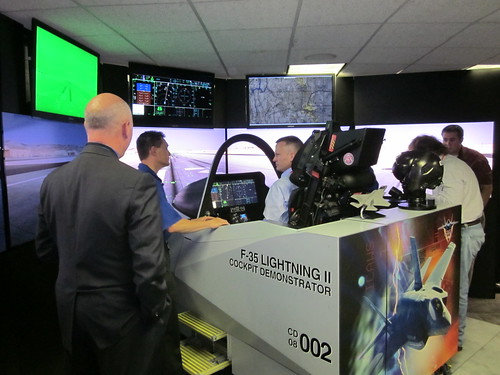
Pro-Fab, located on the western edge of Oklahoma City, south of Lake Overholser, employs about 150 people, producing ultra-precise machining for the military and civil aerospace industry. 60 to 70 are involved in work for the F-35, producing wing spars, bulkheads, pins, and specialty bolts from materials like titanium and aluminum.
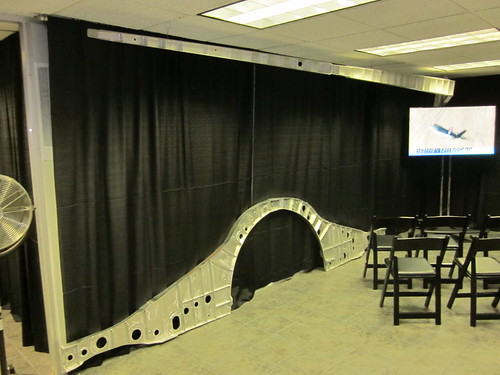
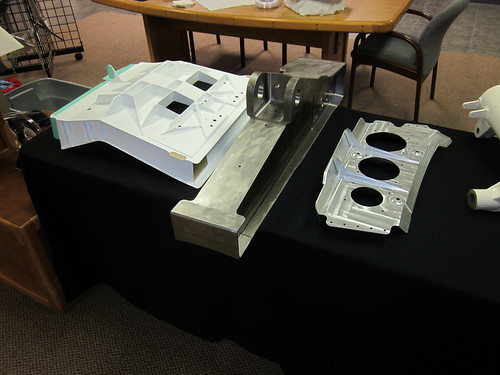
Pro-Fab is one of seven F-35 suppliers in Oklahoma. According to Pro-Fab program manager Ryan Russo, aerospace employs 150,000 Oklahomans, is the state's number one export industry, producing 10% of the state's output.
The F-35 is designed to serve several different missions for the three services that fly fixed-wing aircraft -- Air Force, Navy, Marine Corps. The plan is for 2400 F-35s in three variants to replace the F-16 Fighting Falcon, A-10 Thunderbolt II, AV-8B Harrier II, and older (A-D) variants of the F/A-18 Hornet. The Air Force will fly the conventional takeoff-and-landing F-35A, the Marines will fly the short-takeoff, vertical-landing F-35B, and the Navy will fly the carrier variant, the F-35C with beefed-up landing gear for their routine controlled crashes onto the carrier deck.
Despite the differences in airframe and engines, the three variants have identical cockpits. It's something of a coup to get the zoomies, jarheads, and squids all on the same page when it comes to cockpit layout. Maximizing the number of common components between the three variants should reduce the cost of keeping the aircraft flying over decades to come. There are huge savings to be found in replacing four different aircraft from three different manufacturers, with all the distinct parts, tooling, and skilled technicians required to maintain them, with one aircraft, able to use common parts, tooling, and technicians for all three variants.
Another advantage of the common cockpit is that a simulator can be used to train any of the three variants without any delay to swap out hardware or run a different software program.
The F-35 replaces aircraft nearing the end of their design life, increasingly difficult to support. The A-10 came online in 1976, the F-18 came online in 1978, the F-16 in 1979, and the AV-8B in 1984.
During the presentation, we heard from two Lockheed Martin officials, Daniel Conroy, director of the F-35 program, and Graham Tomlinson, test pilot. Conroy highlighted the improved stealth capabilities of the F-35. Although he didn't draw an explicit comparison to first generation stealth aircraft like the B-2 and the now-retired F-117A, he said that the F-35 has ruggedized stealth -- it doesn't have to be treated with kid gloves.
Tomlinson, an RAF veteran, drew analogies from the world of Harry Potter -- stealth was the F-35's "cloak of invisibility" and the cockpit display was the pilot's "Marauder's Map," synthesizing information about friendly and enemy aircraft from both the aircraft's own sensors and location data transferred over secure datalink from other fighters or AWACS in the battlespace. In current generation fighters like the F-16, the pilot was required to combine in his head his own observations from radar and other sensors, observations from his wingmen and AWACS, communicated by radio. The result can be what Conroy called a "helmet fire" -- pilot information overload. In the F-35, he can see on his screen where the bad guys are and which targets have already been claimed by his wingmen.
Tomlinson compared the "ridiculous" ease of flying the F-35B STOVL to the "tricky" complexity of the AV-8B Harrier II it is due to replace. The Harrier requires three hands to fly, he said -- stick, throttle, and nozzle control. Thanks to fly-by-wire controls, computers allow the F-35B pilot to handle normal flight, hover/vertical landing, and the transition between the two in an intuitive way using just throttle and stick.
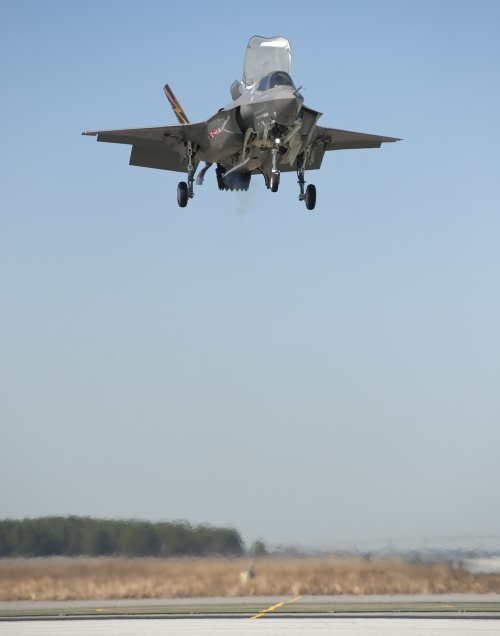
For my turn in the cockpit demonstrator, I flew a carrier takeoff, flew 90-degree bank, 7 G turns to sneak up on the bad guys, shot down two enemy aircraft, did a celebratory aileron roll, and stuck the landing on the carrier. I was impressed with how easy it all was.
On the carrier landing, graphics on the heads-up display showed me exactly where I needed to aim, as I lined up the aircraft icon with the landing point on the approach. To pick a target, I touched the screen to show a display with aircraft in the area, used a cursor on the throttle to designate a target, then hit the red button on the stick. I watched the missile track and kill the target, then the display showed the aircraft's cameras' zoomed view of the target's fall from the heavens.
Engine instruments and caution lights, which dominate old-style cockpits, are tucked away. A touch on an icon on the screen will display them, but most of the time they're hidden so the pilot can focus on flying and shooting down the bad guys.
In the F-35, a pilot no longer needs to swing the nose of the aircraft around to see what's happening below and behind him. If I need to check my six, all it takes is glancing back. Instead of seeing the back of the seat and tail of the aircraft, the visor display shows the camera's view behind the fighter. Look down, and it's like being in a glass-bottomed boat. (Or Wonder Woman's invisible plane.)
Of course, as easy as it seemed, I wasn't actually pulling 7 Gs (and risking G loss of consciousness), and I had a simulator operator talking me through the mission step by step and occasionally putting a guiding hand on the stick. Still, compared to recent experiences flying tanker and transport simulators, the F-35C was a piece of cake.
While the F-35 has suffered some setbacks, all three variants are running ahead of the current test schedule. As acquisition ramps up by 50% a year to full production, suppliers like Pro-Fab will need to expand to meet the demand for engineers and skilled machinists and technicians.
If the F-35 lives up to its promise, it should allow the US to maintain air superiority more safely and affordably for decades to come.
Here's an idea that's been on my mind for a while, and it's time to begin to flesh it out. As you read, keep in mind that this is a first draft. Your thoughts are welcome.
This insight seems obvious to me, so obvious that I searched to find the place where I must have read it, but I've never found it. I wrote about it at length in a UTW column in the aftermath of the December 2007 ice storm, which I had titled "The Amish Are Laughing at Us."
So I am going to stake my claim to this insight and give it a label:
Any useful technology passes through three phases:
luxury, convenience, necessity.
It begins as a "can't have," but ultimately becomes a "can't live without."
The transition from luxury to convenience happens when the cost of the technology declines and the availability increases to allow it to be in general use.
During the convenience phase, the superseded technology is still available as a fallback. When the fallback disappears, we enter the necessity phase. We are completely dependent on the new technology.
The convenience phase is the sweet spot -- we have the technology, we can use it, but we can live without it (albeit not as well), because we still have the fallback. But we are pushed inexorably to the necessity phase.
In the necessity phase, we have reorganized our lives around the assumption that the technology will continue to exist, at the same cost or cheaper.
A fallback technology disappears when the cost of maintaining it exceeds the benefit.
Eventually, the knowledge to recreate the fallback becomes rare, limited to a handful of old-timers and the occasional retro-tech enthusiast.
By "superseded technology," I don't necessarily mean a device, but a combination of tools or devices and ways of using them.
Think about how you'd live your life if you suddenly had to do it without your own car. Or had to manage without motorized vehicles at all. Tulsa, like most younger cities, grew around the persistent availability of cheap personal transport.
Think about your home's comfort in the event of a lengthy power outage. If it's a newer home, it probably wasn't built to take advantage of passing breezes for ventilation, and the fireplace, if you have one, was designed for looks, not for keeping the place warm.
Another short example: Think about a trip to a large amusement park in the 1970s or earlier, with your family or, say, a church youth group. At some point in the day, the group you're with breaks up to do different things. Miraculously you're all back together at the end of the day for the drive home. We managed that without cell phones, and yet as I remember trips like that, it's hard to remember the methods we used to make it work. Or how we managed to convoy multiple cars over a long road trip without anything more than turn signals and hand signals to communicate.
A longer example: The library card catalog. For years, this was the means for maintaining an index of the library's ever-changing collections. The technology had significant limitations: It was available only in one place, adding, sorting, and deleting was error prone and subject to tampering. But it provided a way to maintain a complete, ordered listing without retyping the whole thing every time you added or removed a book.
When electronic library catalog systems came along, they were expensive and ran on expensive computers. Big libraries with big budgets could afford them, so it was still important for an aspiring librarian to know how to manage a card catalog. Even in libraries with an electronic catalog, a card catalog would have been maintained in parallel for a few years as a backup and to serve customers uncomfortable with the green glowing letters on the black screen of a dumb terminal.
Eventually the cost of hardware and software came down enough so that nearly every library could afford an electronic catalog. Patrons, used to working with computers at home, had no problem using a computer at the library to locate a book. Almost no one used the card catalog, and it wasn't worth the time of a librarian to type and sort cards in order to maintain it. The huge cases of tiny drawers went away, and the cards became scratch paper on which to jot down call numbers from the computer screen.
Ink, paper, and drawers aren't obsolete, but the application of these items as a card catalog is. And all is well, as long as the power stays on and nothing happens to the computer. If there's no power, there's no longer a backup. You could have an enormous library full of books to read, undiminished in their ability to entertain and enlighten by the lack of electricity, but you'd have no way to find the book you want. An older librarian might be able to point you to the general vicinity based on the subject and the likely Dewey Decimal number. Or you could just browse.
MORE: An excerpt from Eric Brende's 2004 book, Better Off: Flipping the Switch on Technology, with an anecdote about the confusion at a fast-food drive-through window when the cash register doesn't work. Brende, with a degree from Yale and a master's from MIT, now lives a low-tech life with his family in St. Louis, working as a rickshaw driver and soapmaker, inspired by his interaction with the Amish.
UPDATE 2023/08/16:
An industrial/strategic example of the problem: Precision machining and weapons manufacture in Russia, from Kamil Galeev:
- Complex weapons such as the WMD/delivery systems include precise parts
- Production of precise parts relies on subtractive processes
- Which had overwhelmingly relied on the manual control even in 1991
- But have been radically computerized since then
- As the production of precise parts switched from the manual to computer control, the labor capable of producing precise parts (-> weaponry) manually was lost
- The tactic knowledge has been lost, too
- Which cements transition and makes it absolutely and 100% irreversible...
He goes on to say that Russia's dependence on precision machining equipment from the West and on parts to keep the machines they currently have going makes them vulnerable to western sanctions targeting the Russian machine tool industry -- no new machines, no replacement parts, no software and hardware maintenance support. You can read the entire Twitter thread here.
The headline story in today's Delaware State News reported testimony in the trial of pediatrician Earl Bradley on two dozen counts of rape, sexual assault, and sexual exploitation of children. According to the story, much of the prosecution's evidence is digital video recovered from thumb drives and memory sticks. 86 victims appeared on the tapes, nearly all were toddlers.
Amid the news story's account of the horrific testimony by the detective who had to review the videos, two items stood out:
The first is a warning to all parents. Just as a molester will "groom" a potential victim to be unwary, trusting, and compliant to the molester's advances, this molester groomed the parents of his patients to see nothing suspicious in him being alone with their children for an extended period of time:
Detective Garland said several incidents caught on video illustrate "planning and grooming" by Bradley in order to commit the acts. For instance, giving popsicles and prizes, such as princess dolls and other toys, and keeping them in the basement as a reason to separate parent and child made those occurrences common at his practice."By normalizing it, you avoid objections. You have that whole grooming thing going on of parents," Detective Garland said.
I imagine some parents had qualms about their children going alone with the doctor, but perhaps they felt foolish, thinking it inconceivable that a trusted professional would harm their children.
Parents should never feel embarrassed about acting to protect their children against someone who seems to have harmful intentions, even if its only a hunch. You may be mistaken, but you can be firm but gracious, protecting your child unapologetically but
without causing embarrassment to someone whose intentions may truly be honorable.
I'm reminded of the leader (now former leader) of an activity for pre-teen and teenage children. At one event, I saw that he drove a windowless full-size van. As far as I knew, this man had no personal or professional reason to own such a vehicle. I wouldn't have let my child join the group if this man were still involved; happily, he left before any of my children were ready to participate.
The second item that stood out involved a hurdle that the investigators had to cross, an unnecessary hurdle.
Some of the sex acts on captured on video were stored in password-protected files with an encryption software program that posed a challenge to forensic investigators. Detective Garland said that upon learning that the manufacturer that created the software was no longer in business, investigators resorted to trolling "less than reputable" online sites that deal in pirated software to help crack the code.
Why isn't there a reputable company offering software to crack these password-protected files? Possibly because of the Digital Millenium Copyright Act (DMCA). The federal law, passed in 1998 without a roll call vote and signed by President Clinton, prohibits circumventing technological protections on software and media. The law has created a chilling effect, deterring software companies from providing consumers with the means to make fair use of the software and media they own. The U. S. Copyright Office has authorized some temporary exemptions to the law, but as far as I can tell (and I'm no expert) there is no exemption for reverse-engineering software owned by a defunct company.
While I support the right of Americans to use strong encryption (e.g. Pretty Good Privacy) so as to be "secure in their persons, houses, papers, and effects," I don't see why we should make it hard for companies to replicate the functionality of obsolete programs. There's something wrong when a measure intended to protect movie studios works instead to protect child rapists.
Cloud services are convenient and powerful, but the mail, video, photos, audio, and documents we upload to them and the metadata we add to what we upload are hostage to the fortunes and whims of the provider companies.
So here's another illustration of the risks of trusting your important data to "the cloud." At any time, a web company could decide to stop providing a service upon which your site depends. Or they could simply lock you out of your account.
Google Video, the hosting service that Google began prior to acquiring YouTube, stopped accepting uploads two years ago and is now in the process of shutting down entirely.
I had 54 videos on Google Video, many of them embedded on this site. This includes my coverage of the 2008 Republican National Convention, a speech by Daniel Pipes at the University of Tulsa, the Tulsa Boy Singers' 2007 tour of Britain, plus various family videos. One of the attractions of using Google Video over YouTube was the five minute time limit on YouTube at the time.
Google has made it very easy to migrate the videos to YouTube, but I also downloaded everything, and I still have the original digital files for reupping to another service. I still need to go back through my archives and update all the embed codes and links to point to the new locations.
What I'd like to do is host the video files on my own site's server. To do that I'd need a decent embeddable video player, preferably one I can host on this site as well. Any suggestions?
Sometime ago I uploaded a few original audio files to imeem, which was about the closest thing I could find to YouTube for audio -- hosting, plus a handy embeddable player. When imeem was merged into MySpace, the files vanished. Here again, what I'd prefer is to host audio on my own site, but with a full-featured player to make them easy for BatesLine readers to access.
For several years, BatesLine used NewsGator as an aggregator of the latest headlines from favorite blogs on the BatesLine blogroll. NewsGator dropped the service, and the only obvious alternative was Google Reader. I'm happy to have the service, but I miss the greater customization provided by NewsGator.
I love Flickr (although I'm way behind on uploading photos), but here's another risk of losing data in the cloud. I'm not worried about losing my photos -- they're backed up in multiple places -- but I'd hate to lose the metadata (sets, collections, descriptions, geocoding, tags), which would take a long time to recreate.
Twitter has pretty much taken the place of my old linkblog, because it's so quick and easy to retweet an interesting link. The downside is that old tweets aren't easily accessible and very old tweets aren't accessible at all. Adding to the problem: The links in the tweets are dependent on the continued existence and goodwill of the link-shortener sites, many of which are in a top-level domain controlled by the Libyan government of Moammar Gadhafi. What I need is a way to query the Twitter API to get all my tweets, to query the APIs of the link-shortener services to resolve their links to direct, long links, and to convert all that data into some form that I can import into my linkblog database.
Cloud services will continue to offer irresistible tools that make it easy to tag, connect, and organize your data, but there's something to be said for entirely self-hosted content, where the hosting provider gives you a hard drive, a web server and a pipe to the internet, and you provide and control everything else.
If you're a blogger or a web programmer and have any recommendations, I'm all ears.
UPDATE: Two good suggestions from the comments for self-hosting video:
Adam writes:
Michael, I've had good luck with http://videojs.com/ It has both HTML5 and Flash players which is good for serving video to mobile users. The biggest issue in self-hosting video is bandwidth usage. You might want to double-check what kind of bandwidth limits your hosting account has and whether self-hosting the video will impact that limit.
DavidS suggests LongTail Video's JW Player. Looks like it will handle MP3 audio as well as video, and like videojs it can handle both Flash and HTML5.
Spending too many hours staring at ancient assembly language (SEL/Gould Macro Assembler for the 32/87, running under MPX-32) brought to mind an old bit of often-mimeographed humor which may date back to the 1970s, if not earlier: A list of fictitious assembly language instructions, including
HCF (HALT AND CATCH FIRE)
BOB (BRANCH ON BUG)
FLI (FLASH LIGHTS IMPRESSIVELY)
JTZ (JUMP TO TWILIGHT ZONE)
KCE (KILL CONSULTANT ON ERROR)
LAP (LAUGH AT PROGRAMMER)
LPA (LEAD PROGRAMMER ASTRAY)
And here's another trip down random-access memory lane: The Jargon File version 3.1.0. Born in 1975 at Stanford, this collection of computer geek jargon made its way by FTP across the nascent ARPAnet to the MIT AI Lab, went dormant in the mid- to late-80s, then was reborn in 1990 and gave birth to a book version (The New Hacker's Dictionary). The linked version is from October 1994, but here's a version from 2000.
Fellow geeks: What's your favorite ancient bit of tech humor or insider geek culture? Tell us about it in the comments.
[Regarding assembly language, for you non-programmers: Imagine having to describe a simple act, like turning a door knob, as a series of commands to each individual muscle in your fingers, hand, arm, and shoulder. A simple action on your computer is accomplished by what may be a lengthy and complex series of simple instructions to the machine's brain -- the central processing unit (CPU). Those simple instructions are represented in somewhat human-readable terms by mnemonics. Programmers would have to know these mnemonics to write a computer program. Another program, called an assembler, would turn these arcane mnemonics into even more incomprehensible 1s and 0s understood by the CPU. Nowadays, programmers use somewhat less arcane computer languages to describe what the computer is supposed to do, and a program called a compiler turns a program written by a human into 1s and 0s for the CPU.]
Many of my fellow conservative bloggers have been beating the drum loudly in opposition to proposals for "Net Neutrality." I can understand their skepticism -- truth-in-labeling laws don't apply to legislation and net neutrality is no more likely to be about neutral handling of internet data than NAFTA is a simple declaration of free trade between the U. S., Canada, and Mexico. Special provisions and sneaky codicils find their way into what should be a simple expression of a simple idea. I wouldn't be shocked if a Democrat net neutrality proposal in fact imposed net bias through some obscure amendment passed in the dead of night.
Nevertheless, the concept of net neutrality is not one that conservatives should dismiss out of hand. This concept is not a Fairness Doctrine for the internet that would require every website to provide equal time for every point of view. It is the simple notion that packets should be routed by the backbone and by ISPs without regard to the contents, source, or destination, in the same way that the phone company connects calls and the postal service delivers mail. Only in a case of abuse (e.g., denial-of-service attack) should the ISP care about what data is going where.
It's a mistake to think about this issue in terms of the free market. There are high barriers to entry to the ISP market; one of the biggest is getting local government permission to run your cables or build your towers on, over, or under their property. Where I live, we have two choices -- the phone company and the cable company. If both providers choose to allow their customers access only to a limited number of "partner" websites (imposing the cable TV tiering model on the internet), I wouldn't have any alternatives, and it might mean I could no longer read my favorite conservative bloggers and news sites.
An internet that routes data without discriminating based on content, source, or destination is what we have now, for the most part. There is now a low barrier to entry to publish your information and make it available for the world to see. If ISPs begin to discriminate in favor of certain sites, it may mean bloggers would have to pay a high fee to each ISP to gain access to those customers. You might also see ISPs pressured by the usual suspects on the left to cut off access to conservative websites.
(To the argument that ISPs aren't engaged in this kind of discrimination yet: I don't think they will until they feel comfortable that net neutrality is dead and buried. If they were to begin now, it would build popular support for net neutrality.)
The future of the internet as a medium for free speech and public accountability needs true net neutrality -- an internet infrastructure that passes data along without regard to content, source, or destination.
Wireless networking and DHCP aren't complicated. They ought to work every time, but they don't.
I recently spent a couple of weeks in what was built as a Residence Inn (separate buildings, with eight suites in each) and is now affiliated with a different national chain. Nice place, good price, quiet, and the staff is friendly.
They provide wireless internet with a DSL modem and a wireless router in each of the buildings, each router with its own SSID. I could usually see four or five when I looked for available networks. I never could connect to the internet through the router in my own building, despite the fact that it was right behind the bed's headboard.
When you connect to the internet via wifi, there are three main things that happen. (This is, of course, an oversimplification.) The first is the computer and the router make a connection on a certain radio frequency using a particular signal protocol (some variety of IEEE 802.11). Once you've made this connection, it's just like you plugged an Ethernet cable into your computer.
The second thing that has to happen is the router has to give your computer an IP (Internet Protocol) address. That's four numbers between 1 and 254, separated by periods, e.g. 192.168.1.55. Without an IP address, you can't do much -- the protocols your computer uses to send web requests and receive web pages (HTTP) and to send and receive email (SMTP, POP, IMAP) all use IP addresses to get data where it needs to go.
Once upon a time, you had to change your IP address manually (and reboot, usually) every time you connected to a new network. (Tools like Netswitcher were a godsend.) Nowadays, when you connect your computer to a network (whether wired or wireless), your computer sends out a request for an IP address and an IP-address-giver-outer (known as a DHCP server; this task is usually handled by the router) responds with an address that isn't already in use. At least that's the way it's supposed to work.
But your computer probably doesn't know the IP addresses for your favorite websites, and that brings us to the third essential step: Getting the IP address of a computer, called a DNS server, that can translate computer names (like www.batesline.com) to numbers. In the early days of the internet, when the number of connected computers were relatively small, each computer on the net had a long file (/etc/hosts) with a list of names and IP addresses, a list that had to be updated by hand every time a new computer was added or an IP address or host name changed. DNS -- Domain Name Service -- was developed to handle all this automatically. When you connect to a network, the router not only assigns your computer an IP address, it tells your computer the IP addresses of two or three DNS servers.
In a dream world, all three things happen automagically behind the scenes, and within seconds of connecting, you're ready to surf. Lately, though, I connect to a wireless network and almost as often as not, I get the dreaded "Limited or no connectivity" error. This means that even though my computer and the router are on speaking terms, the router has not seen fit to give my computer an IP address. Instead, Windows assigns a fake address that does no good.
During my business trips, I connect to a lot of different networks -- at the hotel, at the job site, at coffeehouses and restaurants. I would consistently get an IP address on some networks and would consistently get the "limited or no connectivity" error on others. Lately the problem seems to happen more often than it used to. I've looked for solutions on the internet, but no one seems to know what causes this to occur. The suggested courses of action seem like snake oil or folk remedies. If some tactic did work for someone, nobody can explain why it worked. The problem continues to exist even for Windows 7 users.
As I mentioned, the nearest router at the hotel was behind my headboard, and the front desk gave me their blessing to cycle power and see if that helped. It didn't.
So consider this a cry for help. Few things are more frustrating than getting settled in with a cup of coffee and discovering that you can't connect to the coffeehouse's wifi. Or having to settle for a low-speed, weak, distant connection, because the five-bar signal across the room won't assign an IP address.
I'd welcome any suggestions.
Business has had me in Wichita fairly often over the past few weeks. I was telling a friend about my recent sojourn, and she replied that she'd driven through Wichita a few times and couldn't "get on board with the whole Kansas thing." I'll admit that I didn't have a high opinion of Wichita before work brought me there. And the Kansas scenery as seen from the interstate gets a bit monotonous after a while.
For most Tulsans, Wichita is a place to drive through on your way to the ski slopes of Colorado. If you were to get off the highway, you'd find shady neighborhoods filled with late Victorian and craftsman homes, historic downtown buildings both big and small, and a warehouse district (Old Town) turned into a lively collection of restaurants, lofts, theaters, and hotels. But you have to get off the expressway to see it.
That's true in general of Kansas. If you get off the interstate and drive the old roads, you'll find pretty small cities and towns with well-preserved Main Streets and shady neighborhoods -- Emporia, Independence, Winfield, Arkansas City, Lindsborg, McPherson, Abilene, Chanute, Fort Scott -- to name just a few. I can better appreciate the beauty of open farmland if it's interrupted every so often by an attractive town.
Any time I travel, I try to make the opportunity to get out of the zone of chain hotels and chain restaurants and to get to know the city. I look for locally-owned restaurants and interesting neighborhoods, and I spend a lot of time on foot seeing what a city has done with (or, too often, to) its downtown.
One of the things I look for is a place to hang out -- a place with free WiFi, late hours, and something good to eat and drink, where they won't mind me sitting around to write code and blog entries for a few hours. I could work in my room, but that gets a bit lonesome after a while. And sometimes the hotel internet access is slow, or blocks VPN, or just doesn't work, so it's good to have an alternative.
While Tulsa has a great assortment of such places -- Coffee House on Cherry Street, Shades of Brown, Cosmo, to name a few -- I've had trouble finding such places in other cities. Wichita, on the other hand, is blessed with an abundance of great late night coffeehouses. As a bonus, most of them are conveniently located near I-135, so you can easily hop off for some caffeine and internet access on your way to Breckenridge.
Here are four worth a visit:
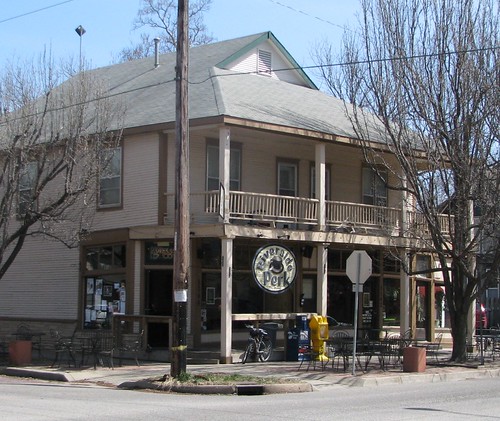
Riverside Perk: In a pretty late-1800s neighborhood in a bend of the Little Arkansas River, there's an old two-story wood-frame building at the corner of 11th & Bitting. The ground floor had a grocery store and a drug store once upon a time; today it's a coffeehouse and a wonderful neighborhood gathering place. You can sip your coffee and work on your laptop at a big diner booth and look out the big front windows to the big front porch and shaded sidewalk tables. A smoothie bar in the next room offers bar seating with a tiki theme. Riverside offers a great assortment of specialty drinks and food, including pizza bagels and sandwiches. They're open until 10 weeknights, midnight on weekends, when they have live music. Before or after your coffee, it's a pretty neighborhood for a stroll. From the interstate: From I-135, take the 13th St. exit and head west about a mile and a half, past the spectacular art deco Wichita North high school and across the art deco Minisa Bridge to a light at Bitting Ave. Left (south) on Bitting, across another bridge, then two blocks to 11th St.

The Donut Whole: A rooster stands sentinel on the roof of the sturdy brick building on Douglas between Hydraulic and I-135. Two rooms are connected by a narrow hallway. The room close to the street has roomy diner booths and a stage for weekend live music. The room at the back houses the coffee and the donuts, an old pinball machine ("Airport" by Gottlieb) -- two plays, five balls each, for 25 cents. A yellow Anco wiper blade display serves as the condiment table, next to a Lions Club park fountain on a pedestal. In the corner is Seeburg 100 jukebox (for sale), sitting under an old Fair-Play basketball scoreboard. Eclectic music (Django Reinhardt, The Price Is Right theme, early Beatles) fills the air. The coffee is excellent, and the assortment of donuts is astounding: choco crunch, Homer J., peanut butter cup, creamy orange, fluffernutter, thick mint, sunshine citrus crunch, peanut butter and grape, and triple bacon, to name just a small sampling. There's a cooler full of specialty sodas like Boylan's and Mexican Coca-Cola. Open 6 am to midnight, live music on the weekends, drive-thru open 24/7. From the interstate: Easiest coffeehouse to reach from the highway. From I-135, take the 1st/2nd St exit and head west on 2nd about two blocks to Hydraulic. Left (south) on Hydraulic two blocks to Douglas, then left again (east) and look for the rooster on the roof on the north side of the street. Parking available alongside the building.

Mead's Corner: This coffeehouse on Douglas at Emporia downtown offers coffee, specialty drinks, tea, gelato, pastries, and sandwiches, wraps, panini, and salads. Lots of room -- the coffeehouse takes up the entire first floor of an old commercial building -- with different types of seating, and great views of the other historic buildings nearby. Mead's Corner is owned and operated by First United Methodist Church, but it's not a haphazard "ministry" but is in fact run very professionally. (I'm sorry to say I've known of other church-related coffeehouses with very limited schedules and poor-quality coffee.) At the same time, it provides a comfortable venue for spiritual discussions, as well as the usual coffeehouse assortment of live music, poetry slams, etc. Mead's opens at 7 am Mondays through Saturdays until 10 weeknights, midnight on the weekends. Sunday hours are shorter: 10 am to 6 pm. From the interstate: From I-135, take the 1st/2nd St exit and head west on 2nd. You'll go through Old Town, under the Santa Fe tracks, then make a left on St. Francis. Go two blocks to Douglas, turn right and go one block west to Emporia. Street parking is free -- up to two hours during the day.
Poetic Justice: This one's different -- not near downtown, but in a strip center on the eastern edge of Wichita at Webb and Central on Greenwich north of Kellogg, very near the Beechcraft Hawker aircraft factory. It's also convenient to the hotel cluster near the I-35 Kellogg exit. Everything seems very new and neat. They sponsor weekly game nights (Wed), craft nights (Thurs), and open mike poetry nights (Fri). Open 9 am to midnight M-F, 10 to midnight Saturday, and closed Sunday. From the interstate: From Kellogg Ave (US 54-400), head north on Greenwich Rd; the cafe is just a few blocks north on the east side of Greenwich. Greenwich Rd is just a little over a mile east of the Kansas Turnpike (I-35) Kellogg exit. (UPDATED to reflect Poetic Justice's new location.)
Free WiFi seems to be getting more and more common. Spangles, a local '50s-themed fast food chain, has WiFi and late hours, as does Emerson Biggins, a local sports bar chain. I spent an evening at Pacific Coast Pizza enjoying a Fresno pizza and watching a TMAPC PLANiTULSA hearing on TGOV. There's a Village Inn on Rock Rd. with WiFi, new decor, and a new logo -- the restaurant's initials in lowercase sans-serif -- it ought to attract Unix developers.
Past entries on Wichita and Kansas:
The lonesome road to Wichita (alternatives to I-35)
Places to see in Wichita (including the amazing Orpheum Theater
A FUN-FUL evening in beautiful Kansas (Riverside Park in Independence)
Independence, Kansas, is FUN-FUL
A happy place in Kansas (College Hill Coffee in Winfield)
Useful sites for finding free WiFi:
IndieCoffeeHouses.com -- a Google-maps based, crowdsourced database of independent coffeehouses.
WiFiFreeSpot.com
OpenWifiSpots.com
Hotspotr.com
I saw an article today that made me aware of a missed opportunity. Yesterday was the 40th anniversary of the safe return to Earth of Apollo 13, and the Cosmosphere -- just a short four hours from Tulsa in Hutchinson, Kansas, and home to the mission's command module, Odyssey, hosted a reunion of Apollo 13 flight crew and mission control. Apollo 13 astronauts Jim Lovell and Fred Haise, flight director Gene Kranz, capcom Jack Lousma, Apollo 12 astronaut Alan Bean, and a host of the men behind the consoles in mission control were in attendance.
After kicking myself for a while for not knowing about this opportunity and making plans to be there, I read a news story about the festivities, which included a panel discussion among ground personnel:
But there were a few things that home viewers couldn't really understand, the men who were there said.For the astronauts, it was the numbing cold in the spaceship, which had been powered down to a minimal level to preserve its batteries. Lovell said the temperature dropped to the low 30s -- about the same as a home refrigerator.
And although the networks broadcast hours of footage from Mission Control, it couldn't capture the smell of the room, said flight controller Ed Fendell.
With the team in full emergency mode, "nobody bathed and everybody smoked," Fendell recalled. "The smell was overwhelming. You opened the door and smoke would come out."
It was the smell of determination.
The NASA veterans spoke about the future as well as the past, specifically the future of America's manned spaceflight program as redirected by President Obama:
Eugene Kranz, Apollo 13's flight director, drew cheers when he said he thinks Obama "wrote the epitaph for manned space flight" by the United States in February when he announced plans to scrap the Constellation project....The Apollo veterans said Constellation would have given NASA the opportunity to learn more about how to live long-term in space before embarking on a lengthy Mars mission.
Haise and Lovell said they disagree with the president's plan, which they said doesn't contain the kind of solid blueprint and preparation it took to send men to the moon.
"I looked at what he plans on doing and then I listened to his speech... building a heavy-lift booster and going out to the asteroids and eventually going to Mars and all that, but there was no continuity to it, there was no substance to what he was saying," Lovell said.
He predicted that the Russians will essentially inherit the International Space Station because American astronauts won't have a way to get there.
"In the decades and decades that we have been sort of, you know, friendly antagonists in going into space, I think the Russians have finally won the space race," Lovell said.
Can a welfare state accomplish great things as a nation? It seems that great national achievements come from nations with liberty and entrepreneurial energy, and thus the wealth for conquering space or achieving military superiority, or from totalitarian nations that can focus scarce resources, even at the expense of the prosperity of their people, to attain an ambitious goal. (Of course, in the end the US prevailed over the totalitarian USSR, both in the race to the moon and in the Cold War here on earth.) The social democracies of Europe rode on American and Soviet spacecrafts but never launched a manned program of their own. Britain's global reach dwindled after World War II and Clement Attlee's premiership. The apex of America's space program came just as the Great Society spending and dependency machine was getting warmed up.
Once a society reaches the point where a majority of voters are getting more from government than they've paid in, there's a change of mindset. There's more political advantage to growing entitlement programs than funding exploration or military strength or leaving more money in the hands of the private sector. In such circumstances, the ambitious leave for places where there is scope for their ambitions. For most of the 20th century, America has been a destination for those ambitious folks, and their intellectual capital has only added to our prosperity.
President Obama and his supporters seem uncomfortable with an America of great achievements, great influence, and great power. Take Obama's comment at the recent nuclear security summit: "...whether we like it or not, we remain a dominant military superpower...." The comment inspired blogger Doctor Zero to coin the term "Hospice America":
What other nation, beyond the Western democracies, would not like it? Everyone from heavyweight contenders like China, to the comeback empire of Russia, down to nasty little street fighters like North Korea and Iran would love to be dominant military superpowers. Their dreams include detailed plans for using that power, should they ever acquire it.... It was a far cry from the way someone like JFK or Reagan would address the same topic. They would have seen the responsibility of power as a challenge we should rise to meet, with confidence and determination, and offered thanks to God that America is the nation entrusted with this challenge.
Sadly, the America of new frontiers and bright mornings was long ago. Today we live in Hospice America, where caretakers with first-class temperaments and sharply creased trousers make us comfortable in the face of inevitable decline... and forward the bills for our end-of-greatness care to our children, who will go bankrupt paying them....
Muscular foreign policy is an expense Hospice America can't afford, and a distraction from the more urgent business of keeping its clients sedated and nourished. They're too feeble to handle their own finances, or manage their own health insurance. A modest unemployment allowance is provided for them, paid from cash advances on Uncle Sam's credit cards, because they can't really find work on their own any more. Genuine freedom and independence have been dismissed as unworkable. Instead, our congressional candy-stripers will quietly relieve their clients of meaningful decision making, while gently congratulating them on how "free" and "independent" they are.
MORE: Last week Obama gave a speech at the Kennedy Space Center about the future of America's manned space program. Excluded from the speech were the people whose livelihood and dreams are most closely tied to that future, and it outraged NBC correspondent Jay Barbree:
I just found out some very disturbing news. The President came down here in his campaign and told these 15,000 workers here at the Space Center that if they would vote for him, that he would protect their jobs. 9,000 of them are about to lose their job. He is speaking before 200, extra hundred people here today only. It's invitation only. He has not invited a single space worker from this space port to attend. It's only academics and other high officials from outside of the country. Not one of them is invited to hear the President of the United States, on their own space port, speak today.
I have a couple of technological frustrations that I would like to vent:
1. I plug an external hard drive into a USB port on my laptop. The drive is a USB 2.0 device, capable of transferring data at 480 Mbps. The laptop is new enough so that all of its USB ports are USB 2.0. But still, some of the time, Windows reports: "This device can perform faster. This USB device can perform faste if you connect it to a Hi-Speed USB 2.0 port. For a list of available ports, click here." Data transfers then happen at a sluggish 12 Mbps, the speed for USB 1.1, a fortieth of the speed of USB 2.0. But I can unplug the cable and plug it back in and Windows suddenly realizes that the port is USB 2.0 and gives me the higher rate of speed with no error message.
I'm running Windows XP, but I see that the same issue comes up in Windows 7.
Now, I could imagine the OS being uncertain about the device's compatibility with USB 2.0 and so throttling back to USB 1.1 speed in such a situation. But the computer's operating system should know that all of its own ports are 2.0 all the time.
2. Facebook has this neat feature: When you insert a webpage URL in the status update box, it fetches images from that page, the title of the page, and an excerpt from the page. You can pick which image to display as a thumbnail, edit the title, and edit the excerpt, then add your comment on the link in the box. It makes the links you post a bit more eye-catching than they would be otherwise.
But this feature doesn't always work, and lately, for my site, it never works. The link preview is the hostname of the site (www.batesline.com) and the first 40 characters of the URL. You can't add a description. You can't add a thumbnail.
I've been using the link preview feature on the Michael D. Bates "fan page" to notify the 200 people signed up as fans about new blog posts here. Recently I've had some posts with eyecatching photos, but I can't show those eyecatching photos as part of a Facebook link, and that's frustrating.
Got a gripe about something that should work consistently but doesn't? Feel free to voice it in the comments.
I was five years old, but I got to stay up late to watch the moon walk. We were at my grandparents' house in Nowata. My grandpa sold and repaired TVs, radios, and appliances (Johnny's Electronics), so he had a color TV. (We wouldn't have one for a few years yet.) Not that color TV mattered -- the only picture was a ghostly black and white image of Neil Armstrong descending the ladder.
To this preschooler, the Apollo missions seemed like a regular TV series: Apollo 7 in October 1968, Apollo 8 at Christmas, Apollo 9 in March '69, Apollo 10 in May. (Of course, there was a NASA TV series -- I Dream of Jeannie -- and that space program seemed to have a mission every week.) I knew the names of the spaceships -- Gumdrop and Spider, Charlie Brown and Snoopy, Columbia and Eagle. The Gulf station at Washington and Frank Phillips Blvd gave away very intricate cardboard lunar module models -- the kind you put together with tab A and slot B. (We didn't know it at the time, but it's funny to think that the thin cereal-box cardboard was thicker than the LEM walls.) Like all five-year-old American boys in 1969, I wanted to be an astronaut when I grew up.
I've been reliving those eight days in July through a series of YouTube videos -- excerpts of ABC and NBC coverage of Apollo 11. While it's interesting to learn more about the behind the scenes, through newly released and restored film and interviews, it's been fun to experience the events and to share them with my children as most of us experienced them four decades ago. (Someone else posted the videos; I just created a playlist.)
The videos cover the launch, moon landing, moon walk, rendezvous, splashdown, and arrival on the USS Hornet. ABC used animations -- hand-inked cartoons -- and simulations -- guys in spacesuits in mockups of the CM and LEM -- to accompany mission audio and show what couldn't be shown by live video. Both ABC and NBC commentators left room for the astronauts and Houston to be heard. (I saw some of the CBS coverage on the History Channel; as others have observed, Cronkite didn't know when to be silent.)
Frank Reynolds anchored coverage for ABC, with science reporter Jules Bergman. The NBC coverage includes David Brinkley, Chet Huntley, and Frank McGee.
One of the excerpts has a long discourse by Huntley, with McGee chiming in, about priorities, about whether America's space program was just a series of bad decisions triggered by Sputnik. The two suggested that just as government had engineered a successful trip to the moon, government could fix hunger and homelessness if only the political will were there. (McGee said, "We have the technology -- the software and the hardware.") After watching this, my son and I had an interesting discussion on the fallacy behind the lament, "if we can put a man on the moon, why can't we solve complicated social problem X?"
Another segment has Frank Reynolds throwing it over to a very young Peter Jennings for a short ABC newscast with stories on Vietnam, Chappaquiddick, and a possible air traffic controller strike. The story on Vietnam was interesting -- the report insisted on referring to the Viet Cong as the "National Liberation Front," making it sound like an indigenous guerrilla movement rather than the arm of the Communist North Vietnamese government that it was.
In another segment, Rod Serling led a panel discussion on the moon landing with science fiction authors Frederick Pohl and Isaac Asimov, asking whether any of the authors had predicted a moon landing in their books.
An interesting historical note: After the moon landing and before the moon walk, Buzz Aldrin took communion on the moon in conjunction with his congregation (Webster, Tex., Presbyterian Church) back home, using bread and wine and a chalice provided by his pastor. In 2003, the Episcopal Church recognized the occasion by making July 20 a lesser feast day in the church calendar: "First Communion on the Moon."
Here is the collect for the feast:
Creator of the universe,
your dominion extends through the immensity of space:
guide and guard those who seek to fathom its mysteries [especially N.N.].
Save us from arrogance lest we forget that our achievements are grounded in you,
and, by the grace of your Holy Spirit,
protect our travels beyond the reaches of earth,
that we may glory ever more in the wonder of your creation:
through Jesus Christ, your Word, by whom all things came to be,
who with you and the Holy Spirit lives and reigns, one God, for ever and ever.
Amen.
The Rev. Mark Cooper, current pastor of Webster Presbyterian Church, tells more of the story:
At the time of the lunar landing Aldrin was an elder in our church. A communion kit was prepared for him by the church's pastor at the time, the Rev. Dean Woodruff. Since Presbyterians do not celebrate private communion, the communion on the moon was structured as part of a service with the congregation back at the church. Aldrin returned the chalice he used to earth. Webster Presbyterian continues to possess the chalice, which is now kept in a safety deposit box. Each year the congregation commemorates the lunar communion on the Sunday closest to the anniversary of the landing.
Finally, an excerpt from Charles Krauthammer's recent column, The Lunacy of Our Retreat from Space
Michael Crichton once wrote that if you told a physicist in 1899 that within a hundred years humankind would, among other wonders (nukes, commercial airlines), 'travel to the moon, and then lose interest . . . the physicist would almost certainly pronounce you mad.'... Fourteen months from today, for the first time since 1962, the United States will be incapable not just of sending a man to the moon but of sending anyone into Earth orbit. We'll be totally grounded. We'll have to beg a ride from the Russians or perhaps even the Chinese.... But look up from your BlackBerry one night. That is the moon. On it are exactly 12 sets of human footprints -- untouched, unchanged, abandoned. For the first time in history, the moon is not just a mystery and a muse, but a nightly rebuke.
MORE: How They Built it: The Software of Apollo 11:
The Apollo Guidance Computer (AGC) systems on each craft were designed and built by teams of researchers and students at the Massachusetts Institute of Technology (MIT), led by the late Dr. Charles Stark Draper, under contract with NASA. Garman was one of the many NASA workers who helped run, test and debug the fledgling MIT code that would run the Moon mission from launch to splashdown. Some dedicated hobbyists have even designed and built their own computers to replicate the original Apollo devices."The AGC was very slow, but very reliable and very small for that time in the history of digital computers," Garman said. "It was the earliest to use integrated circuits."
The software as it was designed was built basically from scratch by MIT, he said. How did they know what to start with? "MIT didn't really--they sort of made it up as they went along. Neither NASA nor MIT had built software for digital flight control and guidance systems in the past--no one had near this magnitude. So it took some soul-searching on both NASA and MIT's sides to write down requirements and create hard schedules and test plans."...
Jerry Bostick was 30 years old and was a member of Kranz's White Team for Apollo 11.
"I started out in the mission planning division, designing missions," he said. "We would write the requirements for all of the software in both the ground-based and the onboard computers, working primarily with MIT and IBM."
"We would give instructions to the programs by punching cards," Bostick said. "You had to wait at least 12 hours to see if it would work right." The early programming was done in the real-time computing complex in Houston using IBM 7094 computers with 64K of memory. There were no hard disks. All the data was stored on magnetic tape, with each computer having about eight tape drives. Most programs used for the mission were written in Fortran, Bostick said. "After Apollo 1, we upgraded to the biggest and the best equipment that government money could buy, the IBM 360 with an unheard of 1MB of memory. We went all the way from 64K to 1MB."
Thursday is the 40th anniversary of the launch of Apollo 11. A website called WeChooseTheMoon.org will be streaming the mission as it happened 40 years before. You can even follow the sequence of events on Twitter -- @AP11_SPACECRAFT and @AP11_CAPCOM.
I would love to watch and show my children some of the TV coverage from Apollo 11 -- Frank Reynolds and Jules Bergman on ABC, Frank McGee and John Chancellor on NBC, Walter Cronkite on CBS. If you know when any of that material is going to be aired or where it can be found on the web, please post a comment and let us all know.
I mentioned in passing that I spent more time than I intended last weekend trying to upgrade a PC to a bigger hard drive. The PC (a Dell Dimension 2400) doesn't have room for more than one hard drive, so I put the new drive in a USB enclosure and downloaded a copy of Clonezilla Live, an open-source disk cloning program that runs on a bootable Linux CD. The software itself was easy to use, but in trying to do a disk-to-disk clone, it would finish copying the data then fail on an fsync call at the very end. Next I tried the image backup method -- create a Clonezilla image of the old, smaller drive on a MyBook external hard drive, then restore that image to the new drive. After some trial and error, I downloaded another bootable Linux tool, gparted, to get the partitions right before restoring the image to the new drive. I then installed the new drive in the PC.
Result: The system booted, the data was all there, but Windows XP thought the disk was still the same old size. (40 GB instead of 400 GB.) Going into the Computer Management tool under Disk Management, I could see that the partitions were there and recognized as the correct size, but when I looked at Properties on the drive, it still showed 40 GB with very little free space.
Finally it occurred to me to look at the instructions that came in the box. Sure enough, the Seagate kit included a CD with cloning software from Acronis.
That didn't work either. The Seagate software, which was based on DR-DOS, could recognize the MyBook, but not the drive in the external enclosure. I then tried numerous ways to connect the second drive to the IDE controller, but cable lengths and connector locations defeated me. This box was simply not designed to have a second hard drive installed.
Last try: I downloaded an updated version of the Seagate DiscWizard software. This version, also by Acronis, was Linux-based, had no trouble recognizing the drive in the USB enclosure, and made it easy to partition and clone the disk. Windows XP now correctly recognizes the drive's full size.
So my weekend would have been much more productive if I'd read the instructions in the first place. Then again, since the Seagate CD in the box didn't work, I probably would have tried Clonezilla next, so in all likelihood I'd have tried all the same experiments, just in a different order.
This instructional film from the 1950s explains the mistakes young people make in dealing with relationships via Facebook. Dig the steampunk computer and camera:
(Via Christian Clark on -- what else? -- Facebook.)
A cool web app at xtranormal.com lets you take a script, assign it to a character, voice, and setting, and have the Lego-like character read it.
For a test, I had this Australian fellow with the cowboy hat read the North Carolina guidebook excerpt about the Self-Kick-in-the-Pants machine from the previous entry:
The air quotes are a nice touch.
MORE: In the comments, Mick links to the xtranormal version of Leon Russell's "Home Sweet Oklahoma".
Via Instapundit, I found this article by Kevin Kelly about the Amish and technology. It jibes with a similar story I read some years ago in Technology Review. The Amish aren't anti-technology; rather, they're careful about the impact of technology on the integrity of their community and their independence from outsiders:
In any debate about the merits of embracing new technology, the Amish stand out as offering an honorable alternative of refusal. Yet Amish lives are anything but anti-technological. In fact on my several visits with them, I have found them to be ingenious hackers and tinkers, the ultimate makers and do-it-yourselfers and surprisingly pro technology....The Amish, particular the Old Order Amish -- the stereotypical Amish depicted on calendars - really are slow to adopt new things. In contemporary society our default is set to say "yes" to new things, and in Old Order Amish societies the default is set to "no." When new things come around, the Amish automatically start by refusing them.
The story points out the differences in practice among different Amish communities, but common motivations to protect the cohesion of the community against technologies like the car and the telephone which exert a centrifugal force and to protect the distinctives of the community against technologies like grid electricity which bind them too closely to the rest of the world.
Within the confines of those aims, the Amish can be quite creative. Kelly tells us about "Amish electricity" at one farm -- a massive diesel generator powers a pneumatic system which drives power woodworking tools and can also be used for specially adapted kitchen equipment.
In fact there is an entire cottage industry in retrofitting tools and appliances to Amish electricity. The retrofitters buy a heavy-duty blender, say, and yank out the electrical motor. They then substitute an air-powered motor of appropriate size, add pneumatic connectors, and bingo, your Amish mom now has a blender in her electrical-less kitchen. You can get a pneumatic sewing machine, and a pneumatic washer/dryer (with propane heat). In a display of pure steam-punk nerdiness, Amish hackers try to outdo each other in building pneumatic versions of electrified contraptions. Their mechanical skill is quite impressive, particularly since none went beyond the 8th grade. They love to show off this air-punk geekiness. And every tinkerer I met claimed that pneumatics were superior to electrical devices because air was more powerful and durable, outlasting motors which burned out after a few years hard labor. I don't know if this is true, or just justification, but it was a constant refrain.
At another farm, Kelly encountered a $400,000 computer-controlled CNC machine, used to make precision parts for pneumatic machinery and kerosene stoves. It was operated by a 14-year-old girl in a bonnet.
The story describes the typical pattern for testing and evaluating new technologies and addresses the dilemmas posed by off-the-grid electricity (solar) and telecommunications (mobile phones).
It's interesting too to read that the Amish (at least some of them) embrace technologies like disposable diapers and genetically-modified corn that city-dwelling crunchy conservatives reject.
Will the Amish way of life survive? In technological terms, they have a better shot than we "English" of surviving a situation like "The Long Emergency" -- the massive, painful societal readjustment that Jim Kunstler predicts as the age of cheap energy ends. Or even a short emergency: As I noted in the aftermath of the December 2007 ice storm, we've forgotten how to build homes and arrange our lives so that we can be well-fed and comfortable without the grid in any weather.
It seems to me that the true heart of Amish culture is not technological aversion or pneumatic ingenuity but mutual subjection to a common rule of conduct, grounded in the principles of their faith.
That's extremely countercultural. The broader American culture seems to have lost the impulse to live up to the expectations of the group. Voluntary societies like churches and clubs often have to choose between enforcing standards and retaining membership. (That's a topic that deserves further consideration.)
As long as Amish communities are successful at screening out socially corrosive technologies, they should be able to maintain the cohesion required for their way of life. The decentralized aspect of Amish culture may help preserve it in general even if a particular community is disrupted.
One last anecdote: Last fall, we went with our homeschooling group to a hearty dinner at an Amish home near Chouteau. The dining room was lit with what appeared to be propane -- brightly glowing net wicks of the sort I remember from Coleman lanterns. As we were leaving, my wife told me that one of the Amish men was trying to figure out how to set up a photocopier he just bought.
Venerable Tulsa technology guru Don Singleton has relaunched Tulsa High Tech, this time as a strictly online presence. (If you really want the dead-tree version -- to give to a less-tech-savvy relative, for example -- you can download a PDF and print it.)
The scope of Tulsa High Tech is wide-ranging, but there's a definite bent toward helping computer users at all levels connect with the resources they need to learn new skills. Don writes in this issue's intro:
The purpose of Tulsa High Tech is to provide a clearing house for what is happening in the area of High Technology in the Tulsa Area, including education, seminars and workshops, blogging, exhibits, manufacturing, and anything else we can think of. In addition to providing access to class schedules, listings of various groups, and product reviews we intend to cover the human interest side of IT. We will feature profiles of instructors, community service projects, etc. If you are involved in any way with High Technology in the greater Tulsa Area, and would like to have your organization included, email me.
As computers have become ubiquitous, general computer user groups have lost their prominence. While experts may turn to specialized online forums, there's still a need to help beginners get started with a technology, even if the beginner is an expert in some other realm of software and hardware. Don hopes to create a central clearinghouse for Tulsans interested in technology, where even tech gurus can learn something new.
In the Feb. 2009 issue of Tulsa High Tech, you'll find tips on using the Google Maps API and Dreamweaver CS Pro, internet safety resources for kids and parents, a beginners' corner item on attaching photos to e-mail messages, an alert about bank "phishing" scams. You'll also learn about Tulsa Technology Center's campuses in Second Life. (Really.) There's also a nice little piece about this blog.
Go check it out.
Partly personal, but this news is reason for a bit of local pride, a bit of reflection on the reach of products built right here in northeastern Oklahoma.
Today, Prince William of Wales began an 18-month search-and-rescue training course at the Defence Helicopter Flying School (DHFS) at RAF Shawbury, in Shropshire near England's border with Wales. According to the Times, Flight Lieutenant Wales, as he is known in the Royal Air Force, "will train on Squirrels and Griffins before moving on to the workhorse of the SAR, the Sea King."
Squirrel, Griffin, and Sea King are RAF nicknames for military variants of the Eurocopter AS3 50BB, the Bell 412EP, and Sikorsky S-61, respectively.
FlightSafety Simulation Systems, based in Broken Arrow, builds helicopter simulators as well as training devices for fixed-wing aircraft, and over the years they've done a number of simulators for Bell 412 variants, most of which are based at FlightSafety's Fort Worth Learning Center, just across the airfield from Bell Helicopter Textron's Hurst, Texas, factory.
In the late '90s, FlightSafety Simulation also built a Bell 412-based simulator to be used at DHFS to train Griffin pilots. In 1999, I was assigned to rewrite the communications link software that allowed the main simulation computer to send commands to the image generator that produced the out-the-window picture seen by the pilots in training. A brand new Evans and Sutherland Harmony image generator didn't have all the bugs worked out, so they were going to try an older-generation model. The older model used a different communication method than the new one, so I had to change the main simulation computer software so it could talk to the older image generator. (It used raw Ethernet packets over a point-to-point crossover cable.)
So in late May of '99, I traveled to RAF Shawbury, and spent hours in the very loud and very air conditioned computer room of DHFS's new simulator building. Mornings I marked up source code listings at the Albrighton Hall hotel over a full English fry-up or in my room, a much more comfortable place to work. I finished my work in five days and had a spare day to drive through the countryside of north Wales, take a ride on the narrow-gauge Talyllyn Railway, and pay a visit to Portmeirion, setting for the '60s spy series The Prisoner. Earlier in the week, I'd managed a quick evening visit to Hay-on-Wye, the famed town of second-hand bookshops; most other evenings I made it in to historic Shrewsbury for a meal and a walk around. Our visual software expert, Jim Narrin, arrived a couple of days before my departure to modify the software that formatted commands to the image generator to work with the older generation E&S.
Within a couple of years, the Harmony IG was deemed ready for use and the older IG was replaced. The IG communication code I developed was no longer needed (although there's still some general purpose code on the simulator that I wrote).
But I was just one of dozens of Tulsa-area engineers and technicians who had a part in bringing that simulator to life (not to mention all the support staff in human resources, accounting, travel, program management, etc.). This simulator brought millions of dollars to the Tulsa area in payroll for high-tech jobs.
And now this Broken Arrow-built simulator will almost certainly be part of the search-and-rescue training program for the future ruler of the United Kingdom. I'm not a royalty enthusiast, but I was still somewhat excited and proud to come across this bit of news today.
Here's a description of the DHFS course from the website of FB Heliservices, Ltd., the contractor that runs the program, and here's a bit about the simulator itself. More here at the BBC News website.
2008 was twice a leap year. Not only did we have our quadrennial bissextile day, we had an extra second there, just before 6 p.m. Tulsa time. I hope you used it well.
Both leap days and leap seconds serve the same purpose -- keeping the clock and calendar in line with the movement of the earth. This BBC news item explains how this happens, and we get to see the innards of Big Ben and how they slow the pendulum down (using pre-decimalisation pennies for weight) just enough to allow for that extra second before the clock strikes 12.
(If you're a Spinal Tap fan, you'll be tickled by the volume control on the BBC video player.)
I was looking for the remaining schedule for Tulsa Ballet's presentation of The Nutcracker, and saw this on the Google search results:
Tulsa Performing Arts CenterThis site may harm your computer.
The Nutcracker (Tulsa Ballet-Tulsa). The well-known holiday fairy tale springs to life through the dreams of a child as The Nutcracker and Mouse King battle ...
www.tulsapac.com/ - Similar pages -
Google's Safe Browsing diagnostic site gives the following explanation for the Tulsa PAC website:
What is the current listing status for www.tulsapac.com?Site is listed as suspicious - visiting this web site may harm your computer.
Part of this site was listed for suspicious activity 1 time(s) over the past 90 days.
What happened when Google visited this site?
Of the 26 pages we tested on the site over the past 90 days, 2 page(s) resulted in malicious software being downloaded and installed without user consent. The last time Google visited this site was on 2008-12-15, and the last time suspicious content was found on this site was on 2008-12-13.
Malicious software includes 2 scripting exploit(s), 1 trojan(s). Successful infection resulted in an average of 4 new processes on the target machine.
Malicious software is hosted on 4 domain(s), including 17gamo.com/, dbios.org/, yrwap.cn/.
1 domain(s) appear to be functioning as intermediaries for distributing malware to visitors of this site, including yrwap.cn/.
This site was hosted on 1 network(s) including AS40139 (JACKSON).
Has this site acted as an intermediary resulting in further distribution of malware?
Over the past 90 days, www.tulsapac.com did not appear to function as an intermediary for the infection of any sites.
Has this site hosted malware?
No, this site has not hosted malicious software over the past 90 days.
How did this happen?
In some cases, third parties can add malicious code to legitimate sites, which would cause us to show the warning message.
Google advises, "If you are the owner of this web site, you can request a review of your site using Google Webmaster Tools. More information about the review process is available in Google's Webmaster Help Center."
(BatesLine is clean, by the way.)
Thanks to MeeCiteeWurkor for letting me know that owners of the Amazon Kindle, the electronic book substitute, can subscribe to the Kindle edition of BatesLine for a mere 99¢ per month.
Why pay for something you can read online for free? Kindle automatically and wirelessly downloads updates to your subscribed blogs, magazines, and newspapers, making use of Sprint's network. When you're ready to read BatesLine, wherever you are, it's there, ready to read, just as you'd see it on the web.
And in answer to Mee's question, yes, I do make some sort of royalty from Kindle subscriptions, through my participation with Newstex's Blogs on Demand service, which makes BatesLine available through LexisNexis, CanWest and other licensees.
When the Sitemeter mess came to light over the weekend, I noticed that this site looked funny in my laptop's copy of Internet Explorer 6, which is still the second-most popular browser among BatesLine readers. (IE 7.0 has taken the top spot, and Firefox is gaining rapidly.) There was blue space around my header image, and the right sidebar had slipped way down the page and to the left. The header image and the text looked like it had been enlarged using a particularly bad algorithm, and I noticed that on most sites, images appeared to be stretched out and pixellated. It was as if I had the magnifier turned on just for IE, but I couldn't find anywhere to turn it off.
Here's what I saw in the header (click to see the full size version):

And here's the sidebar overlap:
Everything looks normal in Firefox 3.0.1 and in IE 7. A reader e-mailed to say that things looked strange in his browser, too, although he didn't say which browser he was running. I went to browsershots.org to see what it looked like in various browsers, and it showed everything looking fine in IE 6.
Here's what it's supposed to look like (again, click to see the full size version):
If BatesLine doesn't look like that, please drop me a line at blog at batesline dot com, and let me know what browser and what version of the browser you're running and what kind of weirdness you're seeing. (Click the "Help" menu, then select "About...", and it'll show you the version number.) Thanks in advance for your help.
There maybe something funky about my particular Internet Explorer configuration. Or it may be a problem with the style sheet. I don't think Sitemeter is responsible, as the problem persisted after I removed Sitemeter. (I'm going to put it back now.)
EUREKA! Don Danz identified the cause and the cure. Evidently Dell thoughtfully altered the DPI setting of my high-res display to make icons and fonts look bigger, and it messes up websites. I put the DPI back to the default (96 dpi) and all is well.
107-year-old C. Yardley Chittick is the oldest living alumnus of the Massachusetts Institute of Technology (Class of 1922) and of his fraternity, Beta Theta Pi. Earlier this month, the Boston Globe covered Chittick's return to Phillips Andover Academy for his 90-year reunion, the first alumnus in the school's history to reach that milestone.
After Andover, Chittick went to MIT, where he majored in mechanical engineering, was a low-hurdle track champion, and a proud member of the Beta Theta Pi fraternity. (The oldest living brother in the fraternity, he donated his membership pin to the Beta Theta Pi archives last year.)After graduating in 1922, Thomas Edison offered him a job, but he turned it down, thinking it would be more fun to work for a company that manufactured golf clubs. When the Depression hit, he went to law school, passing the bar in 1934. He practiced until he was 85.
A great-grandfather of six, Chittick said yesterday that he does not really have any secrets to longevity. He sailed for much of his life, exercised regularly, and played golf well past his 100th birthday, the Concord Monitor noted in 2005.
He never smoked and drank in moderation - a screwdriver every night with dinner was reportedly his libation of choice.
Now residing in an assisted-living facility in Concord, N.H., Chittick makes his breakfast and lunch each day and dresses for formal tea each afternoon. He still plays the mandolin, and is known to break into the song "Take me back to Tech" when speaking in front of large groups, said his son, 80-year-old Charles Y. Chittick Jr., who was among the four generations of family present for the event yesterday.
At ΒΘΠ's 2006 national convention in Toronto, Chittick was called to the podium, where he spoke briefly then sang the MIT Fight Song, aka Take Me Back to Tech." Click here to listen to an MP3 of Chittick speaking and singing the MIT Fight Song. According to an e-mail from Bob Ferrara of MIT's alumni office, Chittick repeated the feat at last July's convention in Boston, and plans to do it again this summer in Dallas.
Here's another version of the MIT Fight Song, all but the first verse, sung by a half-century worth of alumni of MIT's a capella male choral group, the Logarhythms:
I don't understand this.
I have an older laptop, so I use a PC Card for a wi-fi connection. It's a Netgear WG511T, which is compatible with 802.11b and 802.11g. It works just fine with a b or a g connection, as long as WEP is enabled. It doesn't work anymore (at least not consistently) with a g connection that doesn't have WEP enabled (e.g., a coffeehouse with free wi-fi). It used to work under all conditions. By "doesn't work," I mean it gets stuck trying to acquire an IP address, or it gets an IP address but then can't ping the router, or it can't resolve any domain names.
I have an old CompUSA WLAN 802.11b adapter (actually made by Gigafast). It works fine with the non-WEP 802.11g connection at the coffeehouse.
it could be something the matter with the Windows XP installation. (It didn't work under XP SP1, and when I upgraded, it still didn't work, but I got more informative error messages.) I have reset the stack using netsh and reinstalled the TCP/IP protocol on each adapter, but nothing seems to fix the problem.
It's possible that the Netgear adapter is going bad; I don't have another 802.11g adapter to test. The fact that it always works if WEP is enabled on the router makes me think it must be software.
What would really help is a new laptop, or at least a newer, gently-used laptop. I've had good luck with buying used from individuals. My first two laptops were bought from co-workers. Each was about a year old at the time and cost about half what it would cost new. The 1997 Toshiba Satellite 435, which runs Windows 95, is still running, although it can't do much. The 2002 Dell Inspiron 4000 is still going, too, although every component except the LCD has been replaced at least once.
If you happen to have a gently used but fairly recent laptop that you'd be willing to sell cheap, drop me an e-mail at the address on the left. What I'm looking for would have Windows XP (NOT Vista!) and media for drivers, built-in wi-fi, USB 2.0, a DVD writer, at least 1 GB RAM and at least 60 GB disk. I have a preference for Dell -- they're easy to work on, and Dell provides step-by-step instructions for taking them apart and putting them back together again.
A panel at the Wharton Business Technology Conference inspires mobility guru Russ McGuire to ponder bygone days:
My key reflection from this panel was that in 1995 I founded an Internet startup, had to buy a $20,000 Sun server and pay $1000 a month for T1 access to the Internet. In 2001 I founded another Internet startup, bought a $2000 Sun Internet appliance and payed $100 a month for business DSL. Today I continue to launch Internet-based projects (because I love it) but today I'm using Google Apps (for free) to set up the basic infrastructure, and am beginning to mess around with Amazon Web Services for a very scalable and affordable solution instead of a server or traditional hosting. My how the world has changed in a baker's dozen years!
FlightGlobal.com reports that American Airlines is looking for a 150-seat narrowbody aircraft to replace its fleet of MD-80s and 757s. The engines for this new short-haul fleet will need to make less noise, consume less fuel, and produce a lower volume of emissions. CFM (the GE / Snecma joint venture) and Rolls Royce are considering open-rotor technology for their next generation jet engines. Instead of the fan blades being inside a cowling, they'd be exposed. (Here's a photo of an open-rotor engine.)
This technology, and the promise that this could give a 25% to 30% improvement in efficiency, "seems to be really a paradigm shift in fuel consumption", says [American Airlines executive VP of operations Bob Reding].He notes, however, that questions still need to be answered concerning the maximum cruise speed that aircraft can fly with open rotors, the noise characteristics and certification requirements.
"There will probably be some blade-out requirements," says Reding, adding that since certification requirements are not yet written "that is certainly one of the unknowns and certainly one of the issues that will have to be addressed".
By "blade-out" I think he means, "What happens if a rotor blade breaks off and goes spinning through the air like a ninja's throwing star?" Given that the United Air Lines DC-10 Sioux City crash was caused by fan blades from a cowled engine severing the hydraulic lines to the control surfaces, that could be an important thing to test.
AT&T has announced a deal that with Starbucks that will, among other things, give AT&T broadband subscribers access to free Wi-Fi at the coffee chain's 7,000 company-owned US locations. That's in addition to AT&T basic Wi-Fi access already available at McDonald's and Barnes and Noble Bookstores. The switch-over from Starbucks' current provider will take the remainder of 2008. Having to pay for Wi-Fi is one of the reasons I avoid Starbucks in favor of locally-owned coffee houses. (Better coffee, later hours, a more interesting clientele, and not doing evil things like threatening a local coffee company over use of a generic term like Double Shot are other reasons I like local better.)
In order for an AT&T DSL subscriber to qualify for free basic AT&T Wi-Fi, you have to subscribe to at least the Express level of service (1.5 Mbps download). Check your bill: I started back when unlimited access to AT&T Wi-Fi (then called FreedomLink) was an extra $1.99 a month. They're still charging me for it, but they shouldn't, since I qualify for free access.
It'll be nice to have more Wi-Fi connections available in a pinch, but I expect I'll still make places like Coffee House on Cherry Street, Shades of Brown, Double Shot, and Cafe de El Salvador my caffeinated, wireless homes away from home.
My browser was filling up with tabs I opened in trying to diagnose a problem which I thought was related to Windows. (I'm beginning to think it's really a hardware problem.) For my reference and yours:
DevCon: A Microsoft tool to list, check status, enable, disable, and update devices and drivers from the command line. Handy for when your system is too sick to handle running the graphical Device Manager. There are versions for 32-bit and 64-bit Windows versions. Works with Win 2000, XP, and Server 2003.
SC, the Service Controller: Built-in command-line tool to view status of and control services and drivers. Full command details here.
Windows command-line reference: The complete list of commands and how to use them. Nice for us old-timers who grew up on VMS and Multics and Unix and DOS. Most if not all of the system management and admin tools can be manipulated from the command line.
driverquery: Another built-in command. It outputs a table of info about all the installed drivers. With a switch and redirection, you can have it produce a CSV file that you can manipulate in Excel or another spreadsheet or database program.
Windows XP Support Tools: Won't vouch for it, but this site purports to offer for download the tools that come in the "Resource Kits" for various versions of Windows.
Debugging startup hangups: Enable boot logging via msconfig or when hitting F8 on startup, then check the log in %SystemRoot%\Ntbtlog.txt. You'll see the sequence in which drivers are started, and may be able to detect a pattern.
Several issues of InformationWeek's Langa Letter have been helpful:
XP's No-Reformat, Nondestructive Total-Rebuild Option: "Fred Langa shows you how to completely rebuild, repair, or refresh an existing XP installation without losing data, and without having to reinstall user software, reformat, or otherwise destructively alter the setup." It's not easy to find this option, but it's there, and it may solve your problems.
The OS Inside The OS: "Fred Langa shows how a simple tweak turns XP's low-level Recovery Console into a complete, standalone mini-operating system--in effect, an XP DOS!"
XP's Little-Known 'Rebuild' Command: "There's an easy fix for "Missing HAL.DLL," "Invalid Boot.Ini," and several other fatal startup errors, Fred Langa says."
On January 31, 1958, the U. S. launched Explorer 1 into orbit, America's first successful satellite launch. The Soviets had already launched two Sputniks, including one with the dog Laika. Vanguard, our first attempt at matching the USSR, crashed and burned in December 1957. We could have beaten Sputnik into space, but President Eisenhower didn't want to use a military ballistic missile derived from the German V-2 for the civilian space program. When Vanguard failed, Wernher von Braun and his team at Redstone Arsenal got the go-ahead to use their Juno I rocket for Explorer I.
Cuffy Meigs has a blog entry about the Explorer I semicentennial, with newsreel clips (narrated by Ed Herlihy!) of the Vanguard disaster and the Explorer launch and links to more articles about the event.
(The Explorer launch newsreel also includes an item about the founding of the United Arab Republic, a union of Egypt and Syria, which began on February 1, 1958, and ended three years later.)
If you're interested in space history, you owe it to yourself to visit the Cosmosphere in Hutchinson, Kansas, one of the top space museums in the entire world, and just a four-hour drive from Tulsa. They have an excellent presentation of the Space Race between the United States and the USSR, starting with the German rocket program during World War II. The story is told with documents, text, movies, and artifacts, including a V-2, the Mercury Liberty Bell VII, Gemini X, and Apollo XIII capsules, and Soviet space vehicles and full-scale engineering models. The museum has the biggest collection of Soviet space artifacts outside the old Soviet Union.
Don Singleton, the longtime president of the Tulsa Computer Society, has launched a new tabloid newspaper called Tulsa High Tech. The first issue is out, and you can find it at library branches, coffee houses, and other locations around town, including Coffee House on Cherry Street, DoubleShot Coffee Company, and Shades of Brown.
Here, from the advertising rate card, is a kind of mission statement for the paper:
Tulsa High Tech is a new free newspaper which is solely advertiser supported. It will be distributed throughout the greater Tulsa area, covering information for the novice computer users, end users, small business owners, developers, and IT Professionals. We will include news on many different "High Technology" related organizations in Tulsa including Tulsa Computer Society (TCS), Tulsa Users of Macintosh Society (TUMS), Tulsa AutoCAD (TAUG), ASM Tulsa, Microsoft IT Pros of Tulsa (OKITP), Tulsa Java Users Group, Tulsa Linux Users Group (TLUG), Tulsa Small Business Server User Group (Tulsa SBSers), Tulsa SQL Server Group, Tulsa SharePoint Interest Group (TSPIG), TulsaDevelopers.NET, and other computer organizations, as well as graphic art, amateur radio, and other engineering, science, or other technology related organizations. We are offering to list their meetings and publish other information about their group in return for their members helping us take copies of the newspaper to businesses near where they live or work.
While there are a number of computer and technology-related user groups and classes around town, there hasn't been a central place to find that information. That is the niche that Tulsa High Tech seeks to fill.
The premier issue includes a review of Adobe Photoshop CS3 Extended, a story on how to recognize "phishing" e-mail scams, a profile of Helping Tulsa (an organization that refurbs computers for use by non-profits here and overseas), a "Beginners' Corner" column covering some e-mail basics, a review of a 3D visualization program called Vue.
You may be wondering, in this age of e-mail and the World Wide Web, what point there is in putting out a technology newspaper. The answer is that many of the people who would benefit most from connecting with local computer user groups and classes are those who are least able to find those resources online. A tabloid paper at the local wifi coffee shop or library is an accessible way for computer users to find the help they need.
Don would like to know if others share his vision for this kind of publication. If you would like to advertise, help distribute papers, or otherwise make this paper happen, please contact him via the Tulsa High Tech website.
P.S. Don compares Tulsa High Tech to the I/O Port newsletter published in the late '90s by TCS. But of course, a few regular features of I/O Port won't appear in the new paper as times have changed. He's posted a PDF of the June 1999 I/O Port issue. It's a real walk down memory lane from the days of dial-up, complete with BBS listings and access numbers for local Internet service providers like Internet Oklahoma (IOnet), Galaxy Star, Telepath, and Webzone.
MORE: Don Singleton has posted a couple of comments; I think they're worth reposting out here.
Michael, thank you very much for mentioning TulsaHighTechIf anyone is with a group that would like to be listed in TulsaHighTech, if they want an ad in the paper, or if they know of a place that would be willing to distribute the paper, and if they can pick up some for it, they can email me at donsingleton@cox.net or call me at 622-3417
One other thing in the premier issue was an announcement for a Photoshop Workshop that Paula Sanders is hoping to start. This is one reason why I feel Tulsa needs a regular paper like TulsaHighTech, because she tried to publicize her new workshop in the Tulsa Whirled and they did not even run her listing, even though they had it way before the deadline, and it was sent directly to the person in charge of the column. She is going to hold one additional meeting in February, but if no one shows up again she is going to drop the idea.
This is not just a Photoshop class, it is an effort to create a high level exchange of ideas and techniques between established artists that use Photoshop.
Emphasis added. There's value in promoting cross-pollenization of ideas among computer users.
An edited version of this column appeared in the December 19, 2007, issue of Urban Tulsa Weekly, in the wake of a severe ice storm that knocked out power for many Tulsa residents for a week or more. The published version is no longer available online. I expanded on an idea in this column in a 2011 blog entry: Bates's Law of Creeping Techno-Slavery. Also relevant: A 2009 item on how the Amish decide which technologies are acceptable. Posted online September 9, 2017.
The Amish are laughing at us
By Michael D. Bates
As winter power emergencies go, this one could have been a lot worse. The temperature broke freezing within a day of the ice storm and stayed above freezing (or not far below it) until Saturday night, by which time most PSO customers had had their electrical service restored.
The roads were drivable. Trucks continued to bring food and other supplies to Tulsa, including generators and chainsaws. Except for the rain on Tuesday (which helped to melt the ice from the trees and avoid further damage), the weather was no impediment to PSO and the many out-of-state power company employees who came to town to assist in the cleanup.
Tulsa's Mohawk water plant lost power for a time, but the A. B. Jewell plant stayed online, with plenty of capacity to meet the city's needs.
Even with power out at home, it was possible to spend most of one's time where there was power. Our two big malls stayed open. Plenty of restaurants were open for business. QuikTrip had all of their stores up and running on generator power, so people could buy gasoline to make their way to the restaurants. Downtown never lost electricity, thanks to underground power lines.
Imagine if after the ice storm temperatures had dropped and remained below freezing. Or if the ground had been cold enough that the ice had stayed on the roads, preventing travel and preventing help from reaching us. Or if the outage had covered the entire region.
As I drove through Amish country west of Chouteau last week on a cold and grey Thursday, I caught sight of a line of clothes flapping in the cold wind - bib overalls and simple dresses. The clothesline was behind an unremarkable white two-story house, identifiable as Amish only by the lack of any wires leading to it.
I laughed out loud at the thought of anyone having to dry laundry in the cold winter wind, instead of using a toasty gas dryer.
Less than a mile later, I realized that the joke was on me. I had a gas dryer but for three days had had no electricity to make it work. Like a lot of midtowners, I have a couple of clothesline poles in the backyard, but the wires have long since been taken down.
The Amish, unlike us "English," know how to eat and stay warm, how to wash and dry clothes, how to preserve food, how to live comfortably in all seasons without any connection to the power grid.
It wasn't that long ago that our ancestors lived like the Amish do today. A hundred years ago at statehood, few Oklahomans had electricity, telephones, or automobiles. They depended on local sources of food. They depended on horses and mules and their own two feet to get around. The railroad and the telegraph connected them to the outside world.
Building design was adapted to work with, not against, the local climate. In the north, you'd want a roof steep enough to shed heavy snows. Shutters - real shutters big enough to cover the window - would be important to keep out bitter winter winds, but you'd also want window placement that would allow breezes to cool the house in summer.
In the south, a big porch gave you a shady, breezy place to cool off in the summer.
Trees were an important part of regulating a home's temperature - with leaves, the tree would provide cooling shade in the summer; without leaves, sunlight could pass through to warm the home in winter.
Building interiors were designed to allow the home to be heated with fireplaces, floor furnaces, gas space heaters, or radiators.
If you look at the footprint some of our older office buildings, you'll notice that, rather than a solid rectangle, many were T or U shaped so that every office had a window to let in light and air. Transoms over each door could be opened to allow airflow across the building.
Since the advent of central heat and air, many of those buildings have been squared off to maximize enclosed space. Modern office buildings don't even have windows that can be opened, and those buildings quickly become uninhabitable when the power goes out.
When electricity was first widely available, we used it to supplement natural lighting on cloudy days and in place of oil lamps and candles after dark. Later we used it to run ceiling fans and window unit air conditioners. In place of small ice boxes that used a real block of ice to keep food fresh, we installed electric refrigerators. Electric washers and dryers replaced washboards, wringers, and clotheslines.
New electrical appliances made possible other technological developments. Can you imagine wall-to-wall carpeting in a world without electric vacuum cleaners?
I've noticed that new technologies pass through three stages. At first, a new technology is a luxury, then it becomes a convenience, and eventually it becomes a necessity.
For example, in the early days of automobiles, few people had them, and most folks went about their business as if automobiles didn't exist. When automobiles first became affordable to the general public, most families got by with a single car, still able to accomplish many everyday tasks without it.
Eventually, it became possible for businesses and homebuilders to assume that everyone always had a car at their disposal. With the help of zoning laws that segregated homes from shops from industries from offices, our cities reorganized themselves to make a normal life nearly impossible without two or more cars in the family.
When a technology is in the convenience phase, there's still a backup, and the sudden loss of the technology is a mere inconvenience.
Once the technology becomes a necessity, its sudden absence is a disaster. The older technology that used to fill the same need has largely disappeared. The outdated devices can't be found, and the skills and knowledge to make them work begin to die off with the last generation that had to rely on them. Tried to buy a clothes wringer lately?
We have evolved a way of life which is unsustainable without the ready availability of ever-increasing amounts of electricity. We have no emergency backup.
Last week only three things in my house worked without electricity: The gas log in the fireplace, the gas water heater, and the plumbing system. And even those systems are ultimately dependent on electricity: the treatment plants, pump stations, and lift stations for the water and sewer systems, and the control system for natural gas delivery.
The phone system worked, but as in many homes, all of our phones are cordless and dependent on AC power to work.
My gas furnace was useless without an electric blower to push the warm air around the house.
Some people believe that a lengthy power outage like the one Oklahoma just endured is a preview of things to come. They say we've passed the peak of global oil production and domestic natural gas production, and the economic growth of China and India mean more competition for those declining resources.
In his recent book, The Long Emergency, James Howard Kunstler predicts that we are in for a period of painful readjustment, made more difficult by the way we designed our homes and our cities during this period of cheap, plentiful energy. Kunstler debunks as wishful thinking the idea that biofuels or hydrogen fuel cells or increased energy efficiency will allow us to continue to live as we do today indefinitely.
I'd like to believe that isn't true. I'm not a survivalist, and I don't want to become one. When massive disruptions were predicted for the turn of the millennium because of the Year 2000 software bug, the only precaution I took was to get back from a business trip before midnight GMT on January 1, 2000. It's far more comfortable to assume that life will go on forever as it does today.
Each of us ought to start thinking about how we would feed, clothe, and shelter ourselves and our families in a world without plentiful electricity. When we build houses and buildings, we ought to consider whether the design would be livable when the power is out. As our city revisits its comprehensive plan, we ought to consider how well our development policies would work in a world where energy is far more expensive.
If last week's power outage was a wakeup call, maybe we shouldn't just reach out from under the electric blanket and hit the snooze button.
An edited version of this column appeared in the December 5, 2007, issue of Urban Tulsa Weekly. The published version is no longer available online. Posted September 9, 2017.
Simulation: It's the real thing
by Michael D. Bates
How often do the stars line up this auspiciously for Tulsa?
Congress has identified a certain industry as a national critical technology.
The federal government is already spending hundreds of millions a year on this industry, with plans to spend much, much more. A pending bill in Congress would fund creation and expansion of college degree programs in this industry.
Although the industry isn't well known locally, the Tulsa metro area already has a critical mass of companies and skilled employees working in this industry and winning international recognition for technological innovation.
This industry involves cutting-edge computer technology - not boring, under-the-hood stuff, but technology that engages sight, sound, and motion with spectacular realism.
We're talking about modeling and simulation, and, with a little bit of initiative on the part of local leaders, Tulsa is well-positioned to see dramatic growth in an industry that is already well established and thriving locally, providing hundreds of high-tech engineering and skilled manufacturing jobs.
Modeling and simulation involves creating a computerized representation of the real world (that's the modeling part) for the purpose of testing real-world scenarios (that's the simulation part). With a simulation you can train someone to handle a hazardous situation, but without putting anyone in harm's way. With simulation you can test preparedness for emergency conditions that, God willing, will never occur in real life. You can learn lessons that would be too dangerous and too expensive to learn any other way.
If you've ever played Microsoft Flight Simulator, you've had a taste of what simulation can do. The PC game lets you fly over a variety of cities, experiencing a range of wind and weather conditions. You can fly a Lear 45 luxury jet, a Piper Cub, a Bell 206B helicopter, or a Boeing 747 and experience the different handling characteristics of each aircraft.
Flight simulation on a much grander scale is used to train pilots for military and civil aircraft. Instead of a keyboard and a computer screen, student pilots sit in a perfect replica of the cockpit. Out the window is a high-resolution visual scene projected onto a wraparound screen. The cockpit sits atop a platform supported by six extensible legs which allow the cockpit to rear back, shudder, and bounce in response to the movement of the simulated aircraft. High-fidelity sound systems reproduce engine and wind noises and radio communications.
Sitting behind the copilot, an instructor uses a touchscreen to subject the student pilot to a variety of challenging conditions - a hydraulic system malfunction, jammed landing gear, an engine fire, sudden windshear. Rather than just reading about emergency procedures in a book or experiencing them for the first time in real life, the simulator-trained pilot has the correct responses ingrained in his reflexes, and those reflexes are tested in an immersive environment of white-knuckled, sweaty-palmed, heart-racing realism.
There's more to simulation than pilot training. Modeling and simulation are used in petroleum geology, civil engineering, and transportation and urban planning, and it's becoming increasingly important for homeland security. Computer models of the nation's food supply system, for example, can be tested against a variety of attacks and accidents to see if adequate safeguards are in place to protect American consumers.
In 2007, a homeland security exercise called Noble Reserve was conducted using modeling and simulation. It involved 140 personnel and cost $2 million to develop over five months. A comparable live exercise in 2002 cost $250 million and involved 14,000 personnel over five years. With simulation, joint exercises can happen more frequently and more economically.
For nearly seven decades, Tulsa has been a center for the flight simulation industry, starting in 1939 with a company called Technical Training Aids, Inc., renamed Burtek after acquisition in 1955 by Cincinnati-based Burton-Rodgers. Burtek's presence spawned other locally-owned companies in the training and simulation industry, which attracted the interest of international firms.
Today, metro Tulsa's simulation industry is headlined by FlightSafety Simulation Systems, with nearly 800 employees locally. The Broken Arrow facility designs, programs, and manufactures high-fidelity flight simulators and other flight training devices for use in FlightSafety's 43 learning centers around the world. The plant has produced simulators for everything from a twin-engine Beech Bonanza to a Boeing 777. They also build training devices for aircraft maintenance technicians and flight simulators for military aircraft.
In September, FlightSafety was recognized by the National Training and Simulation Association for their technical achievement in the development of the first successful heavy all electromechanical motion system for flight simulators. The system, developed here under the leadership of control systems expert Dr. Nidal Sammur, who earned his master's at TU and his doctorate at OSU, eliminates the need for noisy, power-thirsty, high-maintenance hydraulics to provide the sensations of flight to the simulator cockpit. The new technology was a key factor in FlightSafety's successful bid to build 34 helicopter simulators for the U. S. Army's Flight School XXI program.
FlightSafety isn't the only area company building simulators and flight training devices.
Safety Training Systems, incorporated in 1979, has a workforce of about 100 and 100,000 sq. ft. of factory space with plans to expand both by 20 to 30% this year. The company builds major hardware components for military flight simulators. For commercial airlines, STS builds cabin simulators, used by airlines to train flight attendants to efficiently evacuate an aircraft amidst the smoke, darkness, and confusion of an emergency.
CymSTAR is a fast-growing small business, founded in 2003, that modifies existing military aircraft simulators and maintenance training devices to meet new training needs. Earlier this year, CymSTAR landed an $8 million contract for modifications to simulators for the U. S. Air Force's KC-10 aerial refueling tanker. CymSTAR also builds a device called the Badger, used to accustom Marines to the sounds of live fire on the battlefield.
These companies in turn buy components and services from a number of local suppliers, such as AMI Instruments, Aeroweld, Aviation Training Devices, Newton Design and Fabrication, Bennett Engineering, and Shen Te Enterprises, to name a few.
Oklahoma's four major military installations - Altus AFB, Tinker AFB in Midwest City, Vance AFB in Enid, and Fort Sill - make heavy use of simulators for training tanker and transport pilots, artillery, and AWACS crewmembers. Altus is the main "schoolhouse" for C-17 cargo plane crew and KC-135 tanker pilots and boom operators. Vance provides initial pilot training for the Air Force, Navy, and Marine Corps.
These businesses bring in tens of millions of dollars in new money into the Tulsa-area economy every year. Nevertheless, the simulation industry isn't well known to Tulsans, probably because these companies are selling to customers everywhere but here. The executives of these companies are focused on growing their own businesses and haven't been players in chamber of commerce politics.
Tulsa's simulation industry could be even bigger than it already is. There's plenty of work to be done. Rising fuel costs, a wave of pilot retirements in the airline industry, and the need to train pilots for military service overseas all mean more demand for simulators.
Networked simulation is the next big thing, allowing our armed forces to rehearse complete missions and to practice crucial battlefield coordination and communication.
At a recent industry convention in Orlando, an airman stood in a quarter-dome looking out
over a projected image of an airfield in the Arizona desert, training for his role directing close air support from the ground. A simulated mortar attack on the airfield, perpetrated by computer-generated forces, was underway. Using his radio, the airman called in an air strike from two real F-15s flying over that Arizona airfield. As the real F-15s flew in to target the simulated mortar sites, the soldier could see images of the fighters flying into his simulated field of view.
Enabling this kind of training experience will involve a massive effort to build new training devices and modify existing simulators.
The biggest challenge is finding enough people who are capable of getting the job done. Local simulation companies are looking for mechanical, electrical, aerospace, avionics and computer software engineers, as well as technicians, welders, fabricators, and machinists.
Six years ago, U. S. Rep. Ric Keller (R.-Fla.) convened a summit of Florida simulation firms, which identified the need for education focused on preparing professionals for the industry. That led to the creation of a Modeling and Simulation Department at Orlando's University of Central Florida. (You know, the guys that beat TU last Saturday.)
The Congressional Modeling and Simulation Caucus actively promotes the industry on Capitol Hill. Earlier this year, the U. S. House of Representatives passed H. Res. 487, designating modeling and simulation as a National Critical Technology. H. R. 4165, now in the Education and Labor Committee, would authorize $40 million in the first year of a five-year program to fund the creation and expansion of modeling and simulation degree programs, matching every local dollar with three federal dollars.
In other hubs of the simulation industry - central Florida (Tampa, Orlando, and the Space Coast), the Tidewater region of Virginia, Huntsville, Ala., the DFW metroplex - modeling and simulation businesses have banded together with elected officials and educators to raise the industry's local profile and to address common concerns, particularly the need for more engineers.
The same sort of collaboration needs to happen here in Tulsa. We ought to be shouting from the rooftops about an industry that provides hundreds of high-quality jobs and has an enormous economic impact. OSU-Tulsa would be a natural home for a modeling and simulation program; the school's leadership should lay the groundwork to pursue any federal funding that materializes.
For both companies and individuals, there are plenty of fascinating technical challenges to solve and a lot of real money to be made in simulating reality.
The lack of posting the last few days is the result of business busyness, lousy access to WiFi at my hotel, and, most recently, the apparent failure of my laptop hard drive. (Can anyone suggest a good data recovery service? I had a fairly recent backup, but not recent enough.)
UPDATE: The drive (a Seagate 40 GB drive) seems to be OK, but not the laptop. I put the drive in a USB enclosure and was able to power it up, connect it to another computer, and copy critical data off of it. When I tried to reinstall it in my ancient (5 year old) Dell Inspiron 4000, the BIOS still couldn't see it. The BIOS had also stopped seeing the aftermarket DVD+RW I bought a while back.
Here's what I think happened: Thursday during a break at the convention I was attending, I headed over to the WiFi hotspot to check e-mail. I had the laptop set up to standby when the lid is shut and restart when the lid is open. I put it back in the backpack, thinking I had the lid shut all the way. It must have bounced open just enough in my laptop backpack to restart, and surrounded by all that nice padding, it overheated and something fried. When I pulled it out to use it during a session, it was already restarted when I opened it, and there was an I/O error dialog box in the middle of the screen. The laptop was non-responsive to my inputs. When I reset it, it refused to recognize the DVD+RW. So I popped that out and tried again, and it refused to recognize the hard drive. The BIOS init process seemed to hang at about 95% on the progress bar.
This laptop, which I bought for $700 second hand in June 2002, has had a new video cable, a new and bigger hard drive, new and more memory, a new motherboard, a new DVD drive, and a new keyboard installed at one time or another. Plus I bought a WiFi card and a USB-2/Firewire combo card to make up for the absence of those features. In other words, I've spent as much keeping it running as I paid for it in the first place. Still, it's been a good machine, it's been with me all over the country and across the pond, and it's been cheaper to pay the incremental costs over time than to buy a new machine in one fell swoop. Plus, I haven't yet faced the problem of reinstalling everything.
So if I do buy a new laptop, should it be another Dell? And should I stick with XP, go with Vista, or chuck it all and make this one a Linux machine?
My friend and fraternity brother Jim Reisert writes to let me know about a recent story in Computerworld about how Tulsa's Monte Cassino School is solving the problem of providing adequate and backed-up disk space for faculty and students.
Monte Cassino, a Catholic K-8 school, is paying a hosted storage service called School Web Locker, which will give each 7th & 8th grade student 100 MB of space, and a gigabyte to each faculty member.
"We knew this year [students] would be creating movies and doing other things, [so] they needed a lot more space," she said. The hosted offering "resonated with me as easy to manage," Stutsman said, adding that "we had problems with kids' files disappearing a lot last year. [The new system] would relieve a lot of that."School Web Lockers also includes chat, calendaring and collaboration capabilities, she noted. In addition, the hosted system lets school administrators monitor and track all files uploaded to the system and enables them to lock out individuals for misuse.
And there's no need for boltcutters if someone forgets their combination or tries to use the locker to conceal contraband.
The system also includes password access that students must share with their parents, she said. The system also scans all files uploaded to School Web Lockers servers for potential viruses using Sophos PLC's security software and default controls, said Kelly Agrelius, marketing associate for School Web Lockers.
A school official estimates the system will cost them about a dollar per user per year.
If you don't currently have AT&T DSL service, you're eligible for their basic $10 a month plan if you're anywhere in AT&T's service area, even if you've been told that (up until now) DSL is not available for your phone number. It's part of the price AT&T is paying for the privilege of reassembling itself, according to Eric Bangeman at Ars Technica:
AT&T has quietly begun offering DSL service for $10 per month for new customers. Offered as part of the concessions the telecom made to the Federal Communications Commission in order to gain approval for its merger with BellSouth, the speed is nothing to get excited about: 768Kbps down and 128Kbps up.AT&T is also doing little to publicize the new offering. In fact, I was only able to discover any reference to the low-price service by clicking on the Terms and Conditions link at he bottom of AT&T's residential high-speed Internet product page. A note on AT&T Yahoo! High-Speed Internet buried six paragraphs down says that the "basic speed ($10.00)" tier is available to new customers only, those who have not subscribed to AT&T or BellSouth DSL during the past 12 months, and the service requires a one-year contract.... In addition, AT&T must offer broadband to 100 percent of all residential living units in its territory, with 85 percent of that delivered by wire.
This is good news for people like my parents, who, although they live in a subdivision in the City of Tulsa, have been told that AT&T can't deliver DSL to their number. Their only option for broadband has been far more expensive cable Internet.
(Hat tip to Patric Johnstone.)
We have an Apex AD-1200 DVD player. It was the cheapest thing on the market when we bought it, but reviews on VideoHelp.com said it would play just about anything, including JPEG, MPEG-1, MPEG-2, and MP3 files burned to CD-R. It has worked pretty reliably.
A couple of months ago, CD-Rs stopped playing. We discovered this when we were getting ready for my nine-year-old's spring school project. He had created some short stop-action animations with his Digital Blue camera. I converted the resulting AVI files to MPEG (using TMPGenc) and burned them to a CD-R. We were going to take a small TV and the DVD player to school so we could display his creations alongside the projects of his classmates. (We did this last spring, when he used the Digital Blue for another project.)
This time it didn't work. Commercial DVDs were OK, but not a single CD-R worked. Every CD-R, regardless of color, brand, or age, brought up a NO DISC error message on the screen. Using a commercial cleaning disc didn't help any. We were able to borrow my dad's AD-1200, which could play the disc just fine.
This week I found a solution on the web, and tonight I tried it out. Someone called Xcusme posted five possible causes for the Apex NO DISC error, with a series of possible remedies. The most likely fix, Xcusme wrote, was stretching the springs which lift the laser assembly into place:
These loaders are designed to float the laser transport assembly on 4 rubber washers, one in each corner. Two of these are shown in the next picture below marked 'A'. The washers are held down with screws with large built-in flat washers. The rubber washers are molded from very soft rubber and act as shock absorbers. Underneath these 4 rubber washers are 4 small wire springs. Their job is to support the rubber washers. If these 4 springs collapse due to age OR from being weighted down by the laser ribbon cable (see #2 above) or just plain old age, the laser assembly will not be in proper alignment to read the DVD/CD. The laser can and will make adjustments for a misaligned DVD/CD, but only so far. Normally, when the laser is pointing straight up, it can read the DVD/CD just fine. If the laser beam is not striking the DVD/CD at a right angle (because of weak springs) it can't detect the DVD/CD, hence "No Disc."
One quick way to tell if this is the problem is if there's a gap between the screws' built-in washers and the rubber washers. If the springs are healthy, they should push the rubber washers up against the screws' built-in metal washers. Sure enough, that was the problem.
The fix is to remove the laser transport assembly by removing those same four screws. That allows moving the assembly out of the way enough to pull out the springs. After removing, stretching, and replacing each spring, I put the assembly back in place, replaced the screws, and tested it. Every CD-R I used worked flawlessly. (Normal DVDs still work, too.) For what it's worth, these springs are about three-eights of an inch wide and about half an inch long, made of fairly heavy gauge wire, and they aren't actually attached to anything; the platform sits on the springs and the springs sit on something else.
It wouldn't have broken the bank to buy a new DVD player, but I take a great deal of satisfaction in having fixed this one, using helpful info I found on the World Wide Web. Thanks, Xcusme.
If you're going to design a computer system that controls every aspect of a house's operation by voice command, maybe you should find a more reassuring name:
HAL software taps the power of your existing PC or PC device to control your home. Once HAL is installed on your PC, it can send commands all over your house using the existing highway of electrical wires inside your home’s walls. No new wires means HAL is easy and inexpensive to install.HAL’s voice interface makes HAL easy to use. The user may pick up any phone in the home, press the # key, and then tell HAL to dim the dining room lights or close the garage door. It’s a two-way conversation, with HAL confirming that it has, indeed, performed the requested action.
HAL turns your PC into a personal Voice Portal. Is there an easier way to turn on the front door lights when you’re returning home late at night than to call ahead and tell HAL, "Turn on the front door lights"? With HAL, any phone -- anywhere in the world -- enables you to step inside your home and control it as if you were there. And you can ask HAL to read you your E-mail, give you a stock quote or a sports score or a TV listing -- because HAL automatically harvests Internet information for use when you want it.
Hopefully, this HAL isn't too intelligent. Can't you imagine? You're coming home in zero-degree weather in the dead of winter:
"Open the garage door, HAL."
"I'm sorry, Dave, I'm afraid I can't do that."
(WAV file via moviesoundclips.com.)
This HAL (not the fictional, sentient, and murderous HAL 9000) has received some national attention for its use by "Extreme Makeover: Home Edition" as a way of making homes more livable for those with physical handicaps.
HAL (the initials stand for Home Automated Living) offers an add-on to give the system a more human-sounding voice than the standard package. Four voices (combinations of male or female, British or American) are available, with more planned for the future. Maybe they'll offer celebrity voices at some point.
Wouldn't it would be cool, if a bit creepy, to have Douglas Rain's voice responding to my request to dim the lights? Or Stephen Moore: "Here I am, brain the size of a planet, and they ask me to turn up the thermostat. Call that job satisfaction? 'Cause I don't."
I'd be even happier if HAL answered the phone with "KXXO, good evening."
BONUS LINK: The Case for HAL's Sanity. This writer claims that the HAL 9000 computer in 2001: A Space Odyssey didn't go insane; he committed premeditated murder. Isn't that reassuring?
It's the golden age of the autodidact.
An increasing number of universities are making course materials available online for free. The materials can't be used for course credit, but they are available for one's personal enlightenment and enrichment. Two institutions where I gained some higher learning offer online course material.
First, there's the MIT OpenCourseware program.
For example, the Urban Studies and Planning department offers materials from well over 50 undergraduate and graduate courses, with syllabi, reading lists, lecture notes, and assignments. Their introductory course, 11.001J, looks like an excellent, well, introduction, to the history, terminology, and trends of urban planning.
The Electrical Engineering and Computer Science department offers everything I took in my undergraduate program, including the four foundational courses taken by all Course VI undergrads (Structure and Interpretation of Computer Programs, Circuits and Electronics, Signals and Systems, Computation Structures); Artificial Intelligence; Automata, Computability, and Complexity. They even have Strobe Lab, including the required lab experiments (student must supply own stroboscope, rifle, ammunition, and target objects).
Back in the early '90s, our church offered extension courses from Covenant Theological Seminary, and I took about a half-dozen until our church dropped out of the program. Covenant, in St. Louis, was founded in 1956 as the seminary of the Evangelical Presbyterian Church (EPC), a denomination which, through a couple of mergers, became part of the Presbyterian Church in America (PCA), which denomination the seminary now serves. (There's a newer EPC, founded in the 1980s, which has no connection with the earlier denomination.)
Anyway, Covenant Worldwide offers materials from the 20 courses that would constitute the Master of Arts in Theological Studies program if you were taking the courses on campus. For each course there is lecture audio in MP3 format, plus lecture notes in PDF format, and a list of recommended reading materials.
I can highly recommend Ancient and Medieval Church History and Reformation and Modern Church History, both taught by Prof. David Calhoun. One of my fond memories about his lectures is that he always began with a prayer written in the age he is covering in the lecture.
The Francis Schaeffer course is interesting, too -- not only because it's about the background, life, and work of the renowned evangelical writer, but because the milestones of his life were the milestones that shaped modern evangelicalism, from the fundamentalist/modernist controversy in the '20s, through the break between separation-minded fundamentalists and evangelicals in the '50s, to the beginnings of Christian political activism in the late '70s.
I've never heard his lectures on theology, but Robert Peterson served as pulpit supply at our church during two periods when we were between pastors, and he's a wonderful teacher. His course, Humanity, Christ, and Redemption is online.
Paul Ford writes on two different kinds of distraction, one good and one not so good:
But when wide distractions are available I avoid the narrow distractions, and those are the useful distractions. Let's say you're thinking hard about a concept--say, kittens. Kittens are young cats. They have paws and they are sometimes friendly. Your stepmother, you remember, didn't let you have a kitten. Why was that? Was she allergic, or did she really just hate you? Now, that's something worth thinking about. A concept worth exploring. That's a narrow distraction, a good distraction.But with a wide distraction you think about kittens and all of a sudden your email pops up and you're thinking about Viagra, and about how horrible the world is and how it's filled with rapacious greedy spammers. You're not able to think about kittens any more so you check out the news to find out that China has a manned space program. Click. And that peak oil is a real problem and we might be living in an age where electricity becomes prohibitively expensive. Click. And that Apple just released a new iPod again, and everyone is all aflutter. There's really no way to bring all of that back to kittens. You've been broadly distracted. You might as well play some solitaire and go to bed.
In another article, he writes about how he copes with the temptation to broad distraction from his computer -- he uses Word Perfect for DOS and a little electronic keyboard that does nothing but store the text that you type for basic composition and editing.
And lately I’ve been working hard to become more productive. I’ve started quit every application that isn’t relevant to the issue at hand and tried my damnedest only to allow the good distractions to come in the door, rather than to let the broad, wide world in at all times. I try not to multitask when I can help it. I think of this as "Amish Computing." You push the worldly things away because they distract you from your goals.
I actually came across these a few days ago and was going to post something about them, but I got... well, you know.
While giant squid have been snagged in fishing nets, and dead or dying ones have washed ashore, expeditions have repeatedly failed to photograph a live one in its natural habitat, the inky depths of the sea.But in an article to be published Wednesday in a leading British biological journal, two Japanese scientists, Tsunemi Kubodera and Kyoichi Mori, report that they have made the world's first observations of a giant squid in the wild.
Working some 600 miles south of Tokyo off the Bonin Islands, known in Japan as the Ogasawara Islands, they managed to photograph the creature with a robotic camera at a depth of 3,000 feet. During a struggle lasting more than four hours, the 26-foot-long animal took the proffered bait and eventually broke free, leaving behind an 18-foot length of tentacle.
Hat tip: Eve Tushnet.
You've read about some of the problems I've had with my Dell Inspiron 4000, specifically about the motherboard failure that prevented the machine from even loading the BIOS. (See here, here, and here.) I have since replaced the motherboard and the machine works pretty well, although I've had some intermittent keyboard glitches -- a column of keys will stop working, but that's unusual. So far, on this box I've replaced the hard drive (original was too small and went into infinite repeated clicks if I accessed the Dell help file), the video cable (snow and occasional scrambled garbage), and the motherboard.
Julie R. Neidlinger has her own story of woe. The problem wasn't the computer but the Dell phone sales rep, who lied to her about the "benefits" of financing her new PC by opening a Dell Preferred Account through Dell Financial Services. When she realizes the DPA wasn't as good as promised, she went through another level of Dell Hell trying to close the account.
She's posted a detailed entry in hopes that Google will notice and point people her way when they search for Dell Preferred Account. This entry is here to support her quest, and I'll even throw in some Technorati tags to aid in the effort.
The presence of a good little Dell repair shop here in Tulsa with quick turnaround has made it more like Dell purgatory than The Bad Place for me, but I doubt such a place can be found in Julie's corner of the Lone Prairie.

We have a digital camera that takes great pictures, but we have had so many mechanical problems with it that I'm sorry we bought the thing.
We had been putting off the purchase of a high-quality digital camera for some time, thinking that we weren't quite to the point where what we wanted in the way of quality would be available in our price range. We had a less-expensive Kodak, the CX4300, a starter camera given to us by my in-laws -- no optical zoom, very limited exposure control, and a significant delay between pressing the button and capturing the image, but it was a digital camera nonetheless.
I took a closer look at digital cameras just before Christmas and found that there were a number of very good cameras in the $300 range. The Kodak DX7440 received high marks, and it boasted a 4x optical zoom, a built-in lens cover, a larger than normal screen, and the ability to capture QuickTime movies. So I bought one for my wife for Christmas.
We discovered the first shortcoming as soon as we opened the box -- it uses a special rechargeable battery, not AAs. I'm not sure how I missed seeing that in all my research, but I did.
As soon as we had to remove the battery to recharge it, we discovered a second shortcoming -- the camera cannot remember the time with the battery out. I would have expected a small power source to keep the clock running, or at least enough capacitance to maintain the current time while the battery is being changed. Instead, if you simply remove the battery for a second, the date reverts to 1/1/2004.
Within a month, that was the least of our problems with the battery. I was replacing the battery after charging it, and the plastic piece inside the compartment that holds the battery in place just broke off. There was no fixing it. I had to send it back to the factory for warranty repairs.
Shortly after getting the camera back, the lens cover, which automatically deploys and retracts when you turn the camera off and on, started sticking. Sometimes it would stick open, sometimes it would stick shut, or partly shut. Usually a nudge with the edge of a fingernail was enough to make it open all the way.
During out Florida vacation, the lens cover started working reliably again. Hooray! Then, the night before we drove to Orlando for our days in Disney World, the flash select button and the shutter button stopped working. Everything else works -- the viewscreen, the menu and review buttons, the USB interface, the zoom -- but I can't make the thing take a picture. Changing batteries had no effect.
I had brought along the other, cheaper Kodak digital as a backup, but when I took it out of the bag, the battery cover popped off and wouldn't go back on. You remember building Revell models? Where you had all the little plastic pieces connected to a plastic framework, and you had to carefully twist back and forth to free a piece from the framework without damaging it? Remember how the plastic connection turned white just before it separated? That's what one of the two little pegs that hold the battery cover in place looked like. I might have rigged a fix, but I could just imagine the batteries sproinging out at inconvenient moments. So during our two days at Disney we relied on our good old Canon EOS Rebel 35mm, with no way to tell if we got a good shot or not.
The sad thing is that the DX7440 really takes great photos. The presets -- e.g., for bright beach scenes, backlighting, fireworks -- really work well.
I'd love to hear from other DX7440 owners: Are we to be plagued with problems forever? Or are we just unlucky?
Another way the web is changing the way products are sold: Matt Galloway doesn't care for Microsoft's name for its new version of Windows. The problem is that the name "vista" is so generic, it makes it difficult to use analytical tools like BlogPulse to track web interest in the product. Matt notes that Microsoft benefits from its unique corporate name but tends to give its products generic names, while Apple has a generic corporate name but unique product names.
Matt also has some interesting things to say about word-of-mouth marketing and how traditional marketeers still don't get it.
Phil Zimmermann, hero developer who made secure public-key encryption available to the masses with the program Pretty Good Privacy (PGP) -- and endured much tribulation because of it -- has figured out a way to make his phone number available without too much difficulty to those who need it without making it too obvious for those who don't:
To reach me by phone, please read the following:(1) Some people tell me that it is not a good idea to put my home phone number on my web page. (6) They say that I will be swamped with phone calls from everyone who has a question about how to use PGP. (5) Experience has shown that they are right. (0) I would rather that people who have questions about how to use PGP read the fine manual, or failing that, contact PGP Corporation to ask those questions, or, failing that, ask any other randomly chosen private citizen who knows how to use PGP. (3) But I want to make it possible for some people to reach me directly; journalists, for example, or prospective clients for my consulting business, or sales inquiries from corporate customers who want to buy more than a few copies of PGP, or any other business contacts.
Interesting way to number his points, isn't it? If you really need his phone number, you really will have to read the whole thing.
A bit of blegging -- that's what you call begging on a blog -- if you don't mind. We have a couple of Kodak digital cameras and they both have the annoying habit of reverting to default date and time when the batteries are out for recharging. Of course, we don't usually remember to reset the date and time until we've taken a couple of dozen pictures. When we look back at our digital archives in 20 years or so January 1, 2004 will look like a very busy day.
I'd like to go back and change the file date and/or the embedded "taken on" date for these photos to the actual date while I can still remember what it is. Anyone know of an easy -- and preferably free -- way to do this?
Today is a major milestone in my professional life. After 19 years in one industry, 12 at the same company, I'm starting in a new business and a new position. I've made it a policy not to talk about my work on my blog, so while I won't be telling you about my new situation, I'm free at last to tell you about what I used to do for a living.
I found it hard to keep quiet about my old job. It's a company that does important work, and I worked with wonderful people doing very interesting stuff. I was proud to have been a part of the team for 12 years. The company has a significant impact on the Tulsa economy, providing hundreds of high-tech engineering and skilled manufacturing jobs, but it mostly escapes the notice of the politicians and the "economic development experts" at the Chamber of Comerce.
A week ago Friday was my last day as a Staff Engineer in the Computer Systems Group of FlightSafety International, Simulator Systems Division. FlightSafety, founded in 1951, operates a fleet of over 200 highly realistic FAA-certified aircraft simulators to train pilots. The company operates 43 learning centers across the U.S. and in Canada, France, and England. Many of the centers are adjacent to aircraft factories or maintenance centers -- for example, the Savannah center is next to Gulfstream's factory; the Fort Worth center is around the corner from Bell Helicopter's Hurst, Texas, facility. The purchase price of a corporate jet often includes FlightSafety training. FlightSafety also has learning centers near major regional airline hubs, such as Memphis, Cincinnati, and Manchester, England, where pilots can train to fly regional jets like the Canadair CRJ700 and the Embraer EMB-145. In addition to pilot training, the learning centers offer aircraft maintenance training for technicians and emergency evacuation training for flight attendants. Founded in 1951 by Al Ueltschi, in 1996 FlightSafety became a wholly-owned subsidiary of Berkshire Hathaway.
The simulators for those centers are built in Broken Arrow by the Simulation Systems Division (SSD). SSD also builds simulators and other training devices for the military and for training companies and airlines in other parts of the world. SSD is currently in the middle of building simulators for Flight School XXI, a major U. S. Army helicopter pilot training initiative.
SSD employs about 600 people here in the Tulsa area. It is the largest private employer in the City of Broken Arrow. It has no local customers -- every penny of the payroll comes from revenues generated by training time sold by the learning centers or by simulator sales to outside customers. SSD also uses local companies for component manufacturing and software subcontracting, representing more outside dollars coming into the Tulsa economy. Remember that the next time some economic imbecile tells you that the convention business is the only way to bring new dollars into the local economy. Besides FlightSafety, at least three other companies build or upgrade flight simulators or training devices here in Tulsa: Thales Training and Simulation (once known as Burtek), Safety Training Systems, and Cymstar.
I worked in the Computer Systems Group, and most of the work I did involved getting the various computers and aircraft avionics systems that make up a simulator to talk with each other. At one time or another I wrote software for communicating via TCP/IP, UDP/IP, raw Ethernet, IEEE 1394 (FireWire), CANbus, DR11-W, ARINC 429 and MIL-STD-1553. I've worked on simulators for civilian aircraft like the Lear 31, Dassault Falcon 900, Gulfstream 450, 500, and 550, Bell 212, Bell 412, Canadair CRJ, Embraer EMB-145, Citation Jet, Citation Sovereign, and for military aircraft like the RAF's Griffin, USAF's KC-135 tanker, the T-6A Texan (Navy and Air Force primary training aircraft), and the V-22 Osprey tiltrotor.
I traveled to FlightSafety learning centers in Savannah, Tucson, Wichita, Fort Worth, San Antonio, and Teterboro and worked in East Aurora, New York, RAF Shawbury near Shrewsbury in Shropshire, and Altus AFB in southwest Oklahoma. For the most part, I enjoyed the opportunity to see a new place on the company dime, and I would get in as much exploration as I could while still getting the job done. I had only one really miserable trip, which was my last -- a three-day trip to the gloomy industrial hinterlands of northern New Jersey that stretched into 10 days.
Yes, I did get to fly the simulators once in a while, but usually only on visits to a learning center, because the simulators usually aren't fully assembled and operational when they leave the Broken Arrow facility. I feel confident that, in clear skies, with no wind or weather and no other planes in the air, I could take off, fly and land a plane, although not necessarily on the runway. A hazard of learning to fly via simulator is that a real aircraft doesn't have a "crash suppress" button.
FlightSafety's slogan is, "The best safety device in any aircraft is a well-trained pilot." It was good to be able to go to work every day knowing that my efforts were ultimately going toward saving lives. FlightSafety's simulators allow pilots to practice emergency situations without putting any lives at risk. In the simulator, a pilot can deal with engine failures, hydraulic failures, loss of instruments, and severe weather conditions like windshear. He can practice over and over again until his reflexes are trained to handle the situation in real life. In addition to the technical operation of the aircraft, FlightSafety puts emphasis on "crew resource management" -- pilot and copilot working together as a team, maintaining situational awareness at all times, working effectively and calmly during an unexpected situation.
It sounds cliched, but it's true: The best part of working for FlightSafety was the people I worked with. FlightSafety is blessed with friendly, intelligent, good-humored, talented, hard-working people. You hear about workplaces full of office intrigue, self-promotion, and backstabbing, but I never encountered any of that there. There’s a spirit of working together and doing what needs to be done to finish the job.
My new job is a great opportunity for career growth and advancement, one I couldn't turn down. I am, for the first time in my career, not working in a cubicle. Still, it wasn't easy to leave behind such a great place to work, and I wish the folks at FlightSafety all the best.
Maybe you knew this, but it was news to me: The 8-track tape was developed by the Lear Jet Company. The website 8-Track Heaven has an interview with Frank Schmidt, a member of the design team at Lear that developed the 8-track. Schmidt talks about the technical challenges -- the head mechanism, the rollers, the motor, the cartridges -- and what it was like to work for Bill Lear:
He was a weird character. One of the first things we had to do when we set up our plant in Detroit was remove all the clocks out of the building. The Lear factory, office, plant, whatever, never had a clock in it. It was like a gambling casino… he didn’t want you to know what time it was....We had a weird place in Wichita, too. It was the only aircraft plant I ever worked in that had a barbershop. Bill felt that your hair grew on company time, so it should be cut on company time! (laughs) You could call down there, get an appointment, and get a hell of a nice haircut. The other thing we had was a kitchen. It was a walled-in area right in the middle of the building. You could go in there 24 hours a day and you’d find a nice big kitchen with 4-5 tables, and everything you’d find in a kitchen: stove, sink, refrigerator, freezer, oven, the whole works. Completely stocked. Dishes, food, anything you’d want. It was all free.
Ron Coleman calls attention to an aspect of setting one's affairs in order you may not have considered -- what happens to your e-mail account when you die? The parents of a Marine who was killed in Iraq are seeking access to his Yahoo! Mail account. Yahoo! is sticking with its terms of service, under which an e-mail account is closed down and wiped after 120 days of inactivity. Yahoo! terms of service specify that there is no right of survivorship in e-mail. Yahoo! may terminate an account and delete its contents upon notification of the account owner's death.
I feel for the parents, and I can understand why they want access to their son's e-mail -- it's something more of him that they can hold onto. I'm sure they'd also like to let all of his e-mail pals know what happened to him. Ron Coleman suggests that they might be able to seek a court order if there were a "specific compelling reason" for them to need access, and even then someone with no connection to the family should be given the job of sifting through and finding the relevant information.
Were I putting myself in harm's way and wanted someone to have access to my e-mail in the event of my death, I'd put the password in a sealed envelope and file it with my will. And I probably should provide a relative or trusted friend with a regularly updated list of people, to be notified upon my demise, along with their addresses, phone numbers, and e-mail addresses.
Perhaps the parents could ask the court to access the account and send a message to every address found in the account: John was killed in Iraq. You can contact his parents at this address. They would appreciate any memories of John that you could share with them. If you have e-mails from him about his time in Iraq and feel comfortable sharing them with his parents, they would be very appreciative.
I think that would meet the parents' concerns without violating the Marine's privacy.
Were I a gambling man, I'd bet that we will see an epidemic of dowager's hump over the next 10 years -- more and more men and women with a pronounced forward curve of the upper spine. The cause won't be osteoporosis but cumulative deterioration of soft tissues caused by years of computer work. Chiropractic and massage, whatever temporary relief they may bring from pain, won't prevent or reverse the damage, because they don't address the cause.
TulipGirl's entry about computer exercises brought back to mind something I've been meaning to write about for some time. A little over a year ago I had a pain in the neck, aches in my shoulders, which sounded like a bowl of Rice Krispies when I moved, headaches (especially behind the left eye), and occasional pain down the left arm. An MRI showed a bulging disc, probably impinging on a nerve root, and I was prescribed a course of physical therapy to help keep the disc in place and to stabilize my upper spine to avoid further problems.
I came into therapy believing that my shoulder muscles were too tight and needed to be relaxed, but the real problem was that they weren't tight and toned enough. The physical therapist explained that the problems had to do with a loss of the tone and stability of my upper back and shoulder muscles and the overstretching of back ligaments, all the result of spending far too much time with head craned forward and shoulders rolled inward, the natural result of working on something in front of you and below your line of sight.
One of the more notable reactions to the Tulsa World's legal threats against BatesLine came from Michael Gorman, the incoming president of the American Library Association (ALA). His response was not a defense of fair use and its role in public discourse, but a knee-jerk reaction, which, as it turns out, reflects a deeper lack of respect for blogs, the Internet, and the electronic availability and searchability of the written word. Karen G. Schneider has documented Gorman's reaction to the World controversy, along with his other controversial statements, on the blog Free Range Librarian.
Dan Lovejoy has been all over this story: The Federal Department of Homeland Security has put veterans of some of the most invasive software and Internet companies in responsible positions overseeing the department's privacy issues. Nuala O'Connor Kelly, formerly Chief Privacy Officer for DoubleClick, is now Chief Privacy Officer for the Department of Homeland Security. And an executive from Claria (neé Gator) is on a Homeland Security privacy board. Many websurfers, myself included, installed Gator because it promised to help us more easily manage all the different usernames and passwords one acquires in the course of registering for this newspaper's website and that online banking service. It also would hijack your browser and pop up windows for its advertisers based on the site you were currently browsing. Dan reminds that Gator has been the subject of a number of lawsuits.
Dan has filed a Freedom of Information Act request to find out all he can. If the Cornyn-Leahy OPEN Government Act (S. 394) gets through Congress quickly enough, the FOIA request might not be too expensive:
Dear Fry's Electronics, please, please, please open a store in metro New York. Tomorrow would be nice. Tonight would be nicer.
If any of my dear readers knows where I can find electrically-conductive tape for sale in the metro New York area, I would love to hear from you. If you can even tell me where to find the kind of electronics store that has every conceivable potentiometer, resistor, capacitor, and diode -- a mecca for electronics hobbyists, repairmen, and tinkerers -- Nerdvana, in other words -- that's the sort of place that is most likely to have what I need. E-mail me at blog AT batesline DOT com
It is a point of common knowledge back home that in New York you can buy anything imaginable from anywhere in the world. Don't let me down, Gotham.
Another excerpt from Angle of Attack by Mike Gray:
Like all power-plant engineers, the [NASA] Lewis [Research Center] people labored in obscurity; glory in the airplane business went to the pilot or the builder, and nobody ever remembered the guys who designed the engines that made it all possible. One Lewis engineer, Herman Mark, tells the tale of an aviation banquet he attended shortly after World War II where people were asked to say what they did in the war. As other men talked of dogfights over New Guinea and night raids on Schweinfurt, Mark braced himself for the mortification of admitting that he had never left Cleveland. When his turn came, ge stood, embarrassed, and explained that he had been working on engines out at Lewis during the war and all he had really done was to design a little metal vane that redirected the airflow in the B-29 engines and eliminated overheating in the bottom cylinders. He sat down, and the ripple of applause built to a roar as the audience came to their feet. This happened to be a crowd that could fully appreciate the meaning of the term "engine fire."
That's the verdict on my Dell Inspiron 4000 -- the motherboard has failed in some way. They tried swapping everything that could be swapped, but the system continued to freeze during startup.
From Dell's support website, I gather that this freeze-up problem has afflicted many Dell systems, which is why I probably won't make my next system a Dell. And I have to wonder at the problem reasserting itself so quickly and dramatically after I had the laptop in for replacement of the video cable.
I will give Dell credit for one thing -- I have already received my replacement power supply -- less than a week after I learned about the recall. Now if I only had a healthy laptop to plug it into.
Thanks to readers K. A. Hruzer and Steven Roemerman for writing with tips on diagnosing my poor laptop's problems. It was reassuring to see that both had similar thoughts on what could be wrong. I've tried reflashing the BIOS to no avail, as well as disabling everything in the BIOS that I can find to disable. I replaced the memory. It passes Dell's diagnostic suite. The next thing to try is replacing the reserve (CMOS) battery, which powers the clock, the BIOS, and the NVRAM. I will keep you posted.
Still battling this freeze-up problem on my Dell laptop. I may do grievous bodily harm to the next person who suggests I just need to reinstall Windows. I am seeing freeze-ups occur when the BIOS is loading, long before Windows is even touched. To prove that Windows could not possibly be involved, I removed the floppy drive, the CD-ROM drive, and the hard drive, and as the BIOS was loading, the thing still froze for several minutes before unfreezing. I'm running Dell diagnostics right now -- it boots to DOS from a floppy -- and it's frozen up six times already, but has only failed one test so far. (The serial port was too speedy, it says.)
In the extended entry, you can see blurry screenshots of the boot screen, where it consistently freezes up -- maybe someone out there can give me a clue:
I just learned today that the AC adapter for my Dell Inspiron 4000 (vintage 2002) has been recalled. In fact, any Dell laptop shipped between September 1998 and February 2002 may be affected.
Q. What is the issue with the Dell C-Family AC Adapter?A. The adapters could overheat, which could pose risk of fire or electrical shock.
Q. What are the symptoms of the issue?
A. Customers could experience smoke emitting from the AC adapter. Customers could also experience the housing of the AC adapter melting or, in some cases, a flame.
Dell has set up a special website so you can find out if your adapter needs replacement.
In the meantime:
While awaiting a replacement adapter from Dell, customers should unplug the adapter from the wall electrical outlet when unattended. If an adapter shows any sign of overheating, customers should immediately unplug the adapter at the wall electrical outlet and notify Dell.
It's bad enough having to worry about the AC adapter deciding to execute the deprecated HCF instruction, but my Inspiron has started having seizures again. After several months in remission, which seemed to be the result reinstalling an older version of the video driver, the machine has begun again to freeze, sometimes for a fraction of a second, sometimes for several minutes -- the display remains unchanged, typed keys and mouse movements aren't buffered, and the system clock stops, and does not catch up when things start moving again. The only recent change has been replacement of a video cable, but that happened several days before the seizures began again. This can happen at any time, even before the operating system (Windows XP Home) has started to load.
(By the way, the cable was replaced by Wholesale Computer Supply at 5727 S Garnett -- they got it done quickly and for a reasonable price.)
A bit of wisdom found in an unexpected place -- page 2-1 of the Harris NightHawk Series 1000-4000 Maintenance Guide.
Why keeping a problem log is essential to troubleshooting:
"Remember that facts which are not written down have a habit of adjusting themselves to fit the theory of the moment."
(I promise I'll get back to ugly, nasty, brutal city politics shortly, but I need a break, and you probably do, too.)
Back in the early days of electronic calculators, there were books of calculator tricks -- calculate a certain formula and the result, when viewed upside down, spelled something. For example, on those primitive LED displays, 7734 upside down looked like H-E-double-hockey-sticks.
Programmers play similar tricks with numbers in hexadecimal notation. Hexadecimal notation is the base-16 representation of a number, unlike the base-10 notation you humans use, and in addition to 0 through 9, the letters A through F are used to represent 10 through 15, respectively. Hexadecimal notation is the usually the most convenient notation to represent the way data is stored in the memory of a computer. In the C programming language and its derivatives, hexadecimal numbers are differentiated from decimal numbers with a leading "0x". For example, 0x100 (hexadecimal) is 256 (decimal):
1 x 162 + 0 x 161 + 0 x 160 = 2 x 10² + 5 x 101 + 6 x 100
As a way to help debug software, programmers will create bogus values to be able to differentiate between uninitialized memory and memory initialized to 0. Any pattern will do, but it's more fun to use the letters of the hexadecimal digits to spell something. IBM engineers based in Austin programmed the AIX operating system to initialize memory to 0xDEADBEEF (must have been a Sooner that came up with that). Other examples (and they must be 8 digits long) are 0xBEEFCAFE and 0xf00dd00d (using 0 for O). Here are some examples, which also use decimal digits to represent numbers.
I recently came across a clever hexadecimal word that was unfamiliar to me. It's used as a domain name -- I found it while looking for information on how to stop referrer spam -- and in eight hex digits it sums up an important programming truth.
0xDECAFBAD
I couldn't agree more.
The site is worth a look around for those interested in creative ways to piece together different web tools to make interesting new things happen. And if you don't mind a couple of bad words, he has some sound advice for bloggers trying to figure out what to write about:
I haven’t been writing a lot here, but things have been percolating in my head. I’ve gone through phases of wanting this place to be a bit of a techie zine, I’ve been in a funk, and lately I’ve been telling myself that I should blog like no one’s watching....The way I perceive this whole blogosphere working, long term, is for bloggers to read some Joseph Campbell and “Follow Your Bliss”. You could serve the whims of “traffic” for awhile, but if it’s not following your bliss, you’ll get tired of keeping up. But if you hook into your bliss, there’s bound to be traffic-a-plenty coming just to watch you do your own funky breakdance on that piece of cardboard you threw down on your domain name.
I hereby give myself permission to write about whatever the heck I feel like writing about. (But don't worry, I will still keep you up-to-date on Tulsa news, although lately that's less like dancing and more like a slog through the Slough of Despond.)
Usually, I'm the guy people ask for help with their home PCs, but lately I've run into a few strange things, and for all the googling I've done, I can't figure out what's going on.
1. A Dell Inspiron 4000 laptop, running Windows XP Home, will freeze up for minutes at a time. Everything stops -- the clock stops updating, the video screen freezes, keystrokes and mouse inputs are ignored. The display stays on, unchanged. If the disk access light is on, it stays on; if off, it stays off. Eventually, it seems to come back to life. I thought it might be CPU throttling -- slowing the CPU to keep the temperature down -- but the CPU is staying cooler than 45 degrees Celsius. The computer is not just busy -- if it were busy, then the keys I type would be buffered and displayed when the CPU yields time to other processes, but in this case the keystrokes are lost. It's as if time stops and the CPU is in suspended animation. It isn't consistent -- it's very bad some days and hardly happens other days. Seen anything like this before?
2. At home we have a remanufactured Dell Dimension 2400, which we bought from the Dell Outlet online for pretty cheap. This too is running Windows XP Home. The kids use it, so we've tried to run some of their older games. The games from Broderbund won't run unless we set them to run in Windows 95 compatibility mode. The games will then run, but the video display for all programs appears upside down as long as one of the games is running. Stop the game and the video returns to normal color depth and resolution and is back to right-side up. Anyone seen anything like that before? The monitor is about 10 years old, a NEC Multisync 4FGe.
3. Norton Internet Security (NIS) 2002 was interfering with the Internet. I had to reinstall Norton Anti-Virus, and apparently it reinstalled NIS 2002 at the same time. It had an effect on my ability to view websites with anti-bandwidth-theft devices installed. Sites like Ephemeral Isle and AllahPundit are set up to prevent other sites from linking directly to their graphics -- a graphic can only be viewed if the referrer is a page on the same site. With NIS 2002 installed, even though not activated, I could not see the graphics on the pages on these sites. After I used Symantec's removal tool to get rid of NIS 2002, I could see the images. Oddly enough, I still can't do a live update for Norton Anti-Virus from that machine, although it gets further in the process than it did when NIS 2002 was still installed.
If anyone has a lead on an explanation for what I'm seeing, please drop me a line. Thanks in advance.
Fellow Okie blogger Bitweever links to an amazing account of a retired Flint, Michigan, carpenter who may have rediscovered the techniques that enabled to construction of large stone structures like Stonehenge and the pyramids. Extraterrestrials are not involved in the process.
W. T. Wallington's website has pictures and diagrams of the technique, and there's a six-minute video segment from Discovery Channel Canada showing him single-handedly standing a 19,200 pound concrete block.
In his own words:
I found that I, working alone, could easily move a 2400 lb. block 300 ft. per hour with little effort, and a 10,000 lb. block at 70 ft. per hour. I also stood two 8 ft. 2400 lb. blocks on end and placed another 2400 lb. block on top. This took about two hours per block. I found that one man, working by himself, without the use of wheels, rollers, pulleys, or any type of hoisting equipment could perform the task.
He and his son moved a 15-ton, 30' by 40' pole barn 200' using 40 manhours of labor. He has plans to test his technique as it might have been applied to the construction of the pyramids.
Erich von Däniken, phone your office.
I got a lovely note at work from one Visitation S. Cadger a couple of days ago. It was all in Russian. I can decipher Cyrillic, but don't actually know any Russian, so I look for transliterated English words as a clue. This one appears to be about "operativnaya poligraphiya". The end of it refers to "metro Leninskiy Prospekt" and gives a phone number, which I take to be in Moscow. Evidently someone out in the Spamosphere thinks I live in Moscow. I have received ads, with menus, for a Moscow pizza parlor and a Moscow sushi restaurant which (if the online translation was correct) also seems to be a "gentleman's club".
The Russian spam flood is fairly recent. I've been getting Turkish spam for a couple of years now, as well as spam in Spanish which appears to be specifically Argentine.
Over on Full Moon Blog, Saif is having trouble finding a cheap DVD player that can handle VCDs. When I was researching DVD players for Christmas 2002, I found a website called dvdrhelp.com, with reviews of hundreds of DVD players, searchable by compatibility with different formats. Compatibility lists are based on actual user experience. There are also reviews, so you can learn crucial details -- for example, the color of the serial number sticker on one model is a clue to whether the unit will support MPEG-1 video.
We have a cheapo APEX which will display family photos (JPGs) off of home-burned CD-Rs with no problem.
The impression I have is that the more expensive the unit, the fewer formats it supports. The basic decoding technology will handle just about anything, but it costs the manufacturer to build in the technology to filter out anything that isn't a real commercial DVD.
 Subscribe to this blog's feed: